Our Community is in read-only mode until April 8th, learn more here. You can still search existing threads or get help via Dropbox Support, the Dropbox Help Center, or Learn.
Forum Discussion

PedroAraujo
9 days agoExplorer | Level 3
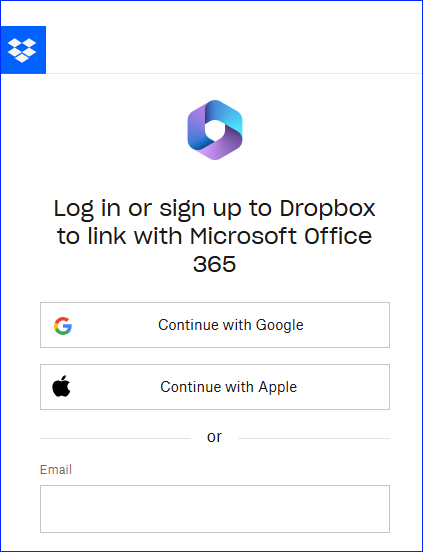
I don't want to link Dropbox with Office 365. How can I stop this pop up?
Hi everyone.
From my end, it's still showing the very same problem. Eeeeevery time I try to access any office file in Dropbox, this annoying pop up appears... Is there any way to stop this? And n...

Megan Dropbox Community Moderator
8 days agoDropbox Community ModeratorHey PedroAraujo!
Do you see this prompt when accessing your Office files online, or locally using our desktop app?
If you’re seeing a prompt in Office 365 to link your Dropbox account and you’d rather not use that integration, you can turn it off in your Dropbox desktop app:
-Open the Dropbox desktop app.
-Click your avatar in the menu bar (Mac) or system tray (Windows) and select Preferences.
-In the General tab, uncheck Show Dropbox as a save location in Microsoft Office.
Once you uncheck that option, Dropbox will no longer appear as a “Place” in Word, Excel, or PowerPoint, and you won’t see the pop-up asking you to link your account.
Alternatively, can you try removing Microsoft Office 365 from this page?
Let me know how things turn out!

PedroAraujo
8 days agoExplorer | Level 3
Yeah! Great! It works! Thank you veeeery much, dear Megan.
By the way, this solution hasn't worked (uncheck Show Dropbox as a save location in Microsoft Office). It was already unchecked when I contact you.
What did work was the "Alternatively, can you try removing Microsoft Office 365 from this page?" It had two Microsoft Office options there, and I removed both. And boom! Worked! No more annoying pop up haha. Thank you! Great way to start Friday!
- Hannah8 days ago
Thanks for closing the loop here, PedroAraujo, and for sharing what actually worked for you!
If you need anything else, don't hesitate to let us know.
Have a wonderful weekend! 😃

About Integrations
Get help with third-party integrations from the Dropbox Community.
The Dropbox Community team is active from Monday to Friday. We try to respond to you as soon as we can, usually within 2 hours.
If you need more help you can view your support options (expected response time for an email or ticket is 24 hours), or contact us on X, Facebook or Instagram.
For more info on available support options for your Dropbox plan, see this article.
If you found the answer to your question in this Community thread, please 'like' the post to say thanks and to let us know it was useful!


