We’re Still Here to Help (Even Over the Holidays!) - find out more here.
Forum Discussion

Dmkiz
4 years agoExplorer | Level 4
Integration with iOs Files app dropping out
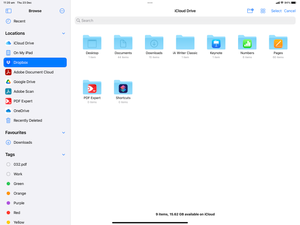
I am running an iPad Pro (3rd generation) with iOs 15.1, but I had the same problem with previous versions of iOs as well. I have two issues.
First, I have tried a number of times to add Dropbo...

Architetto D.
3 years agoCollaborator | Level 9
skifanatech I'm gonna give them 30 day to solve this, otherwise I'll move everything to OneDrive.
I really can't work anymore if Dropbox app/sync doesn't work as expected.
Architetto D.
3 years agoCollaborator | Level 9
At the end we’ve planned to move to OneDrive: the issue is still there, apparently an app update solved the issue, but did not.
I contacted Support again with a video of the issue but they closed the case as soon as I reported it.
I contacted Support again with a video of the issue but they closed the case as soon as I reported it.
- Megan3 years ago
Dropbox Community Moderator
Hi Architetto D. , happy Monday!
You mentioned that you've contacted Support. Could you share with me here your ticket number reference, so I can locate it in the system?
Keep me posted!
- Architetto D.3 years agoCollaborator | Level 9
Hi again Megan
The ticket I opened had n. 21541326
Your colleague suggested to clear the Dropbox app cache. I tried but didn't solve the issue. It's clearly an issue between Dropbox.app and Files.app.
Now I still can't access Dropbox via Files.app, unless I'll reboot my iPhone.
- Megan3 years ago
Hi Architetto D., thank you for the ticket number!
I can see that the ticket was closed, because you never responded back to the agent working on your case, to let them know that the steps they provided didn't fix the issue. Could you try to respond back, in order to re-open the convo?
- Architetto D.3 years agoCollaborator | Level 9
Megan Definitely not: they answered and immediately closed the ticket, without knowing if their solution worked or not.
Anyway, I don't want to complain about your support staff because this is clearly a system issue that won't be solved with clearing cache or deleting and reinstalling the app.
I suggest you to report this to iOS app developers, meanwhile sure, I'll try to open the ticket again...
- Architetto D.3 years agoCollaborator | Level 9
Tried to contact Support again, ticket n. 21712262
Support is still telling me that this is not a Dropbox issue.
May I ask refund for the remaining yearly subscription and move everything to something else?

About Integrations
Find solutions to issues with third-party integrations from the Dropbox Community. Share advice and help members with their integration questions.
The Dropbox Community team is active from Monday to Friday. We try to respond to you as soon as we can, usually within 2 hours.
If you need more help you can view your support options (expected response time for an email or ticket is 24 hours), or contact us on X, Facebook or Instagram.
For more info on available support options for your Dropbox plan, see this article.
If you found the answer to your question in this Community thread, please 'like' the post to say thanks and to let us know it was useful!


