Your workflow is unique 👨💻 - tell us how you use Dropbox here.
Forum Discussion

LRBH
3 years agoExplorer | Level 4
iOS Dropbox app won’t acknowledge Microsoft Word app
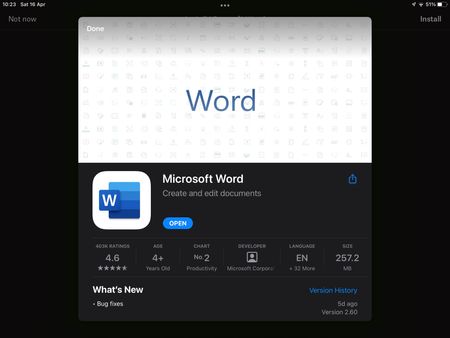
I’m on Dropbox version 274.2 and Microsoft Word version 2.60. Today I started having an issue where trying to open a Word doc in my Dropbox app prompts me to install Word, despite the app being insta...

Hannah Dropbox Community Moderator
3 years agoDropbox Community ModeratorHey Gazlaz, zoltan and Jelen, thanks for bringing this to our attention.
Are you having this issue only when opening files saved to your Dropbox? How about other MS Office files saved in other places on your device?
If it's just Dropbox, can you try to clear out the Dropbox app's cache, from the option in the app's settings, to see if that helps?
Keep us posted!

Jelen
3 years agoHelpful | Level 5
After clear cash still the same.
I've check on one drive and saved files and everything works fine, problem is only with Dropbox.
it starts probably with ios 15.4.1
Thanks
I've check on one drive and saved files and everything works fine, problem is only with Dropbox.
it starts probably with ios 15.4.1
Thanks
About Integrations
Get help with third-party integrations from the Dropbox Community.
The Dropbox Community team is active from Monday to Friday. We try to respond to you as soon as we can, usually within 2 hours.
If you need more help you can view your support options (expected response time for an email or ticket is 24 hours), or contact us on X, Facebook or Instagram.
For more info on available support options for your Dropbox plan, see this article.
If you found the answer to your question in this Community thread, please 'like' the post to say thanks and to let us know it was useful!


