Our Community is in read-only mode until April 8th, learn more here. You can still search existing threads or get help via Dropbox Support, the Dropbox Help Center, or Learn.
Forum Discussion

gfondelio
1 year agoExplorer | Level 3
Links from Dropbox no longer show a preview on Apple Messages
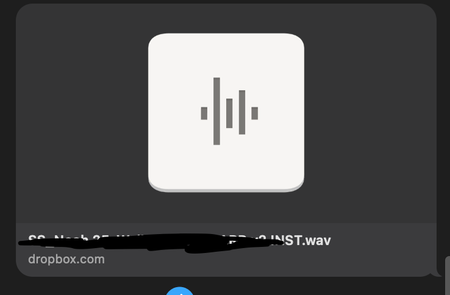
In the last 24 hours, Dropbox has stopped showing link previews when sending over Messages in iOS. Now, only the Dropbox icon and name shows. Has anyone found a fix for this? Before and After Screens...
 1 year ago
We identified the issue and shipped a fix. The issue should be resolved within an hour. Thank you again for the reports!

Nancy Dropbox Community Moderator
1 year agoDropbox Community ModeratorHi gfondelio, and thanks for posting this on our forum!
Are you only having trouble when previewing links from Dropbox, or from other services as well?
Can you also clarify how you’re generating those links? What steps are you following exactly? Are these shared links you’re attaching to your iOS Messages?
Let me know.
 gfondelio1 year agoExplorer | Level 3
Hi Nancy, yes, only links from Dropbox, and my colleagues are experiencing the same thing on their end. I'm copying the link to the file for sharing and pasting into Messages. Both the Dropbox app "copy link" and the web browser yield the same results.
- Nancy1 year ago
Thanks for clarifying! Do these shared links end in raw=1, by any chance? If you click on them on Messages, do they open normally nonetheless or do they throw an error?
 avidstraaf1 year agoExplorer | Level 4
Hi yes this is a big problem when sending and receiving files! Impossible to keep track on whats what and to get an overlook. How do we fix this.
About Integrations
Get help with third-party integrations from the Dropbox Community.
The Dropbox Community team is active from Monday to Friday. We try to respond to you as soon as we can, usually within 2 hours.
If you need more help you can view your support options (expected response time for an email or ticket is 24 hours), or contact us on X, Facebook or Instagram.
For more info on available support options for your Dropbox plan, see this article.
If you found the answer to your question in this Community thread, please 'like' the post to say thanks and to let us know it was useful!


