Your workflow is unique 👨💻 - tell us how you use Dropbox here.
Preview
17 Topics
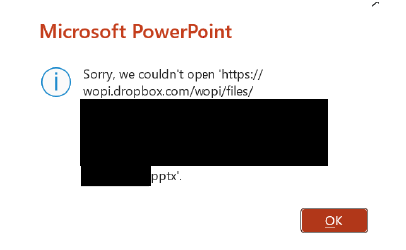
Microsoft Office files won't open for a specific user with an error
Integration Affected Microsoft Office Device Surface Laptop 5 Operating System/Browser (if using the web) Windows 11 Dropbox App Version (if using the app) 238.4.6075 Question or Issue One of our employees is experiencing an issue with opening files saved in Dropbox intermittently. Others are able to open the files and the user can usually open the file after a few minutes have passed. This happens both when a file was just modified by another user and when a file has not been modified in days and no one else has the file open. It also occurs if a file is saved with "Autosave" toggled on or toggled off. The user can open the file via the File Explorer context menu to open the file in Dropbox.com and then in PowerPoint/Excel/Word. Is there a way to fix this as the work around takes time and interferes with the employee's workflow.79Views0likes3Comments
Word document's format created on the web, doesn't seem the same when viewing using the desktop app.
I am having issues with formatting NOT remaining the same from when I create a Word document locally (and saved on Dropbox app) to once it is being edited in Word for the Web. I have noticed that specific "Style" formatting in Word for Web doesn't match the formatting when viewing the document in Word itself. Is there a way to update the styles formatting in the Word for Web to match the styles formatting in Word desktop? E.g. When in my local Word app, I use Styles set to Palatino Linotype for HEADING 1, 2, 3. All of my body text is also Palatino Linotype (Normal). My Table of Content also is showing correctly in Palatino Linotype. When I open the same document in Word for Web all of my headings (1,2, and 3) get converted to Calibri. My TOC also changes to Calibri as does my body text for bulleted lists. This is massively problematic when I or anyone else goes to edit the document in Word for Web as it looks like the formatting is wrong. However, if anyone was to open it on their desktop it would look as it should. How do I get the Word for Web formatting to match what I see and do on desktop? Note: I use Chrome on a Mac. When I open Word for Web I see the option to use Palatino Linotype but even if I revise the formatting in Word for Web with Palatino L. it will convert back to Calibri at some point due to other edits made. Basically, the option to use Palatino L. is there but it doesn't want to stay that way.Solved2.8KViews0likes1CommentDropbox preview support for Apple Pages, Keynotes and Numbers.
Dropbox has great support for Microsoft Office formats (Word, PowerPoint, Excel). Could the same or similar support be provided to Apple Pages, Numbers, Keynotes? This would help users from having to download the files locally and allow viewing the file with Windows and Linux user.100Views1like1Comment
Clicking on a Word doc / Excel spreadsheet on the website opens a preview, and not the file
I have been using Dropbox for years, but in last week or so every time I click on a file name (Dropbox online) it only gives me a preview pan on the right of screen and I have do an additional step and tell it to open with Word online / Excel online before I can edit it. It is very frustrating no going straight to the document with one click like it used to do. I had not changed anything, wondering if a recent update affected something? How can I change this back to a one-click access. I am using Dropbox online in Chrome browser. thanks for any tips!Solved1.8KViews0likes7Comments
Cannot View PDF files with Adobe Acrobat while Dropbox is syncing with ArcGIS Pro running
When Dropbox gets hung while syncing, adobe acrobat stops working. My team uses Dropbox with ArcGIS Pro, and there are a lot of files being synced. We usually manage and do not have a problem with other applications. Recently my entire team has been unable to use Adobe Acrobat while ArcGIS Pro is running or was recently opened due to the hung syncing errors. We are unable to open any PDF files through acrobat, whether or not they are saved locally or on Dropbox. The work around solution to these errors has been to force-close Dropbox and Acrobat will open all the PDFs soon after. Is there anything that can be done to solve this reoccurring problem?2.3KViews0likes1Comment
Can't open documents in native MS Word or Excel apps both on computer and iPad
I used to be able to open Word or Excel documents in Dropbox by clicking the three dots by the filename and choosing "Open in" and selecting "MS Word" or "Excel." Now, on my desktop computer, I can choose only the web-based Word or Excel, and on my iPad, if I choose "Open in" and click Microsoft Word, nothing happens. I have Word and Excel installed on both these devices, and I have a Microsoft 365 subscription. Does anyone know why I am unable to edit my documents any more? Thanks for any help.Solved3KViews0likes6Comments
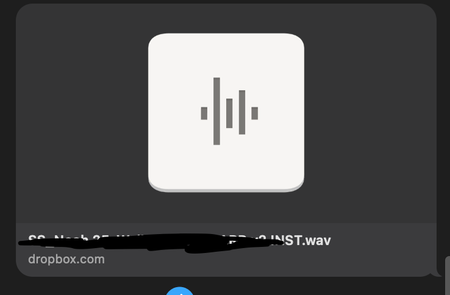
Links from Dropbox no longer show a preview on Apple Messages
In the last 24 hours, Dropbox has stopped showing link previews when sending over Messages in iOS. Now, only the Dropbox icon and name shows. Has anyone found a fix for this? Before and After Screenshots attached.Solved3.4KViews0likes11CommentsCannot open Google Sheet document on the Dropbox website
Hello all - I have a Google Sheet that i created several months ago. I have been using it (updates) several times a week. Today, I am no longer able to open the google sheet. I keep being directed to a page with this: Sign in to continue You need a Google account to access Docs, Sheets, or Slides Please make sure third-party cookies are enabled. Learn more Sign inCreate Google account I am signed into my Google account and i am able to open all other files, but suddenly not this one. I even cleared the cache/cookies and still it doesn't work. Any suggestions or help are welcome! thank you Update: I just checked another Google document and I cannot open that one either. It is Doc format. I can open up documents I created as Word Doc, but not Google Doc or Google Sheets. These are important docs for me. I hope i can recover them.Solved12KViews0likes36CommentsViewing files with Adobe Bridge
Hello, Is it possible to preview dropbox files in Adobe Bridge if those files are not backed up on your computer? My dropbox is too large to be copied on my computer. However, being a graphic designer I use Adobe Bridge all the time to spot my files. Thank you for your help.Solved2KViews0likes6Comments