Your workflow is unique 👨💻 - tell us how you use Dropbox here.
Preview
705 Topics
When opening LibreOffice my files give me an error, and fail to download.
Integration Affected LibreOffice Device Fujitu desktop Operating System/Browser (if using the web) Windows 11 Dropbox App Version (if using the app) I'm uing the desktop version. Question or Issue I had to have a change of computer as my other one died. My other computer ran on Linuz, but my replacement one uses Windows 11 and Firefox. I have LibreOffice installed on this computer. I logged into Dropcox and tried to open my spreadsheet in LibreOffice Calc, but it failed to download and showed an error meaage.114Views0likes8Comments
We want to open shared links directly on the desktop app and not the website.
Hi there. Love Dropbox. I moved our whole team to it from Google Drive much to all of our delight. The one hiccup that keeps coming up (was also an issue with Drive, but would be a game changing new feature from DB) is sharing links. Our team uses the desktop app to work with files directly in finder, but we share links to files and folders on slack and in email, etc... Right now we click a link, it opens the browser as expected, we find the file path in browser and then follow that path in finder. That seems like an awful lot of work when we have a direct connection between our finder and dropbox in the app. Perhaps the website could provide a link that connects to the desktop app, opening the folder/file in finder or windows explorer. Seems like a reasonable option to me, but what do others think?404Views1like10Comments
Displaying HTML links as raw code. Is there a workaround?
It seems that when you sent a link to an HTML file, whereas I can view it just fine, nobody else can, they get raw code. I understand that this was a deliberate policy. So, is there a workaround? Is there a link to a download possible? If I myself want to download it's fine, but what about others?Solved83Views0likes4Comments
Preview pane images accessed via UNC on a server in Dropbox are blank.
This is a tough one. We have Dropbox syncing our server files and access those via mapped network drives on workstations. All files stored locally. The problem is images stored on the server in the Dropbox folder will not preview in the windows explorer preview pane. I create a share outside of Dropbox and boom it works. The thing is PDF, DOCX & XLSX preview fine. It's just images (JPG, PNG, BMP, TIFF). Yeah Dropbox doesn't support server OS ok. Server is 2022. We have had this setup since Server 2012 and has been working great for over a decade. Thinking of moving onto something else, no not SharePoint already tried that. We have heaps of data and SharePoint is too expensive. Maybe a NAS. If anyone can think of something I haven't tried that would be awesome. Must be a permissions issue somewhere.73Views0likes4Comments
I can't preview photos in full screen on my Android device
Device Samsung Fold 6 Dropbox App Version (if using the app) 456.2.2 I am able to see the photo preview and download the photo. However, I am unable to view the photo full screen on my device. I am able to do so just fine on windows and on the website thoughSolved107Views0likes8Comments
Dropbox Paper - images don't load on the web
Similiar to 3 months ago I again have a dropbox paper file that doesn't show pictures that have been uploaded. When I click on the file I get an access denied notification. Very weird as I uploaded the pictures via copy pace. The same issue occured 4 months ago documented in the following community ticket. Dropbox Paper images aren't loaded on the web | The Dropbox Community I am really wondering if dropbox paper is still a service should use if this happens again and again - maybe its better to switch to a more reliable solution such as notion. Access Denied You don't have permission to access "http://media.licdn.com/dms/image/v2/D5622AQG1WaxHAI0r0w/feedshare-shrink_2048_1536/B56Zj3q93DG4Aw-/0/1756501896665?" on this server. Reference #18.d10d3c17.1769541929.18c150ee https://errors.edgesuite.net/18.d10d3c17.1769541929.18c150ee https://media.licdn.com/dms/image/v2/D5622AQG1WaxHAI0r0w/feedshare-shrink_2048_1536/B56Zj3q93DG4Aw-/0/1756501896665?e=1765411200&v=beta&t=QwvuNFF_QW9Nco8WqWPyz1DYw_bGgUJb-jutavjE0Rs79Views0likes4CommentsView HTML in Safari rather than the Dropbox mobile app on iOS?
Is there some easy way I am missing of viewing an HTML file from the iOS Dropbox app in Safari rather than in the in-app viewer? I have only been able to make this happen by a convoluted process involving sending files to My Files first.61Views0likes2CommentsChanged password on Excel file, now I get Decryption Failed error on latest iOS
Hi everyone. This is with the latest version of iOS. I have an existing Excel File that is encrypted with a password. It works fine with Dropbox. I change the password and save it, and now I get the error Decryption Failed when I open it on the iPhone with the password. The worksheet works fine on PC. I've even tried changing the password back to the old one and it still doesn't work. Is there some encryption setting in Excel that may be affecting this? I am using Office Professional 2019. Thank you.125Views0likes9Comments
Improvements for the iOS mp3 player in Dropbox.
Hi there, subscription prices are not that low to be honest so would it be too much to want Dropbox to make the iOs app more "useful" (talking from iPad persepctive)? like MP3s can be played right now, but not in the background, and it would be nice for simple player functions like "play only 1 time", "loop", "shuffle" etc. Any update here?94Views0likes7Comments
Bluebeam PDF showing unwanted NOTE popups in app.
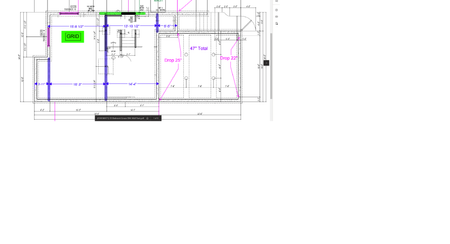
Afternoon. I'm having an issue reading bluebeam Revu PDF with the mobile dropbox app. Opening the pdf using web browser on the cell phone (iphone) or even opening it on desktop app there is no issue, but opening PDF in the mobile dropbox app itself creates yellow Note popups all over the print. I've attached a few pictures for reference. I did find a previous thread about this that said it was corrected for AUTOCAD pdf, but have not found a solution for this. Thanks.2.6KViews0likes11Comments