Our Community is in read-only mode until April 8th, learn more here. You can still search existing threads or get help via Dropbox Support, the Dropbox Help Center, or Learn.
Forum Discussion

JPDemers
2 years agoHelpful | Level 5
MacOS Finder windows reverting from Dropbox folders to root directory
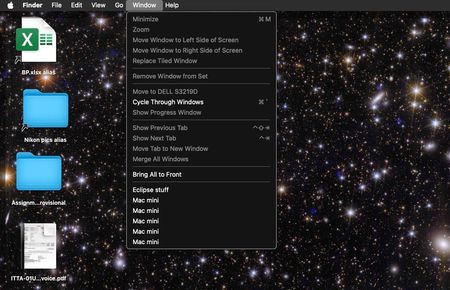
I have an M1 Mini (OS 14.3) with two monitors, and since I'm always working on multiple projects, each with its own folder, I keep Finder windows open for each of them, some on different deskt...

shout_skout
1 year agoHelpful | Level 6
JPDemers I'm experiencing the same problem. Did you manage to find the solution?
 JPDemers1 year agoHelpful | Level 5
The problem seems to have gone away on its own, at least for the time being. I made no deliberate changes to installed software or startup items, so all I can think of is an update that incidentally resolved the issue. OS is still Sonoma 14.4.1, build 23E224, which dates back to early March (which is when the problem appeared, fwiw) so that's not where the fix came from. I have no idea if DB got a tweak in recent weeks.
I did replace a cheapo Amazon ethernet cable with a quality cat 6 cable (vastly improving my internet speed) at about the time things cleared up . . . perhaps DB was getting borked by the lousy connection? (The cheap cable had been there for a long time, so ¯\_(ツ)_/¯ )
- shout_skout1 year agoHelpful | Level 6
JPDemers Thanks for sharing your experience on this. I'm on a later Dropbox version than the one you reported, and I'm still seeing this issue, so I don't think Dropbox did anything to fix it. It might just be a rare bug. Did you find any way to backup the session windows for Finder? From what I can tell, Finder saves its state in the "Saved Application State" folder, but this folder is not backed up by Time Machine, so I can't use it to get back the lost window tabs.
- JPDemers1 year agoHelpful | Level 5
A backup app like Carbon Copy Cloner can save Finder's "Saved Application State" folder on a schedule (daily, hourly, or whatever you choose), but good luck parsing the contents.
Finder's "GO" menu has a "recent folders" option that might prove useful, but I don't know how it defines "recent"... i.e. whether a folder opened several days ago and simply left open will be "recent".
About Integrations
Get help with third-party integrations from the Dropbox Community.
The Dropbox Community team is active from Monday to Friday. We try to respond to you as soon as we can, usually within 2 hours.
If you need more help you can view your support options (expected response time for an email or ticket is 24 hours), or contact us on X, Facebook or Instagram.
For more info on available support options for your Dropbox plan, see this article.
If you found the answer to your question in this Community thread, please 'like' the post to say thanks and to let us know it was useful!


