Our Community is in read-only mode until April 8th, learn more here. You can still search existing threads or get help via Dropbox Support, the Dropbox Help Center, or Learn.
Forum Discussion

Red Gerran
3 years agoHelpful | Level 5
Can't cancel free trial
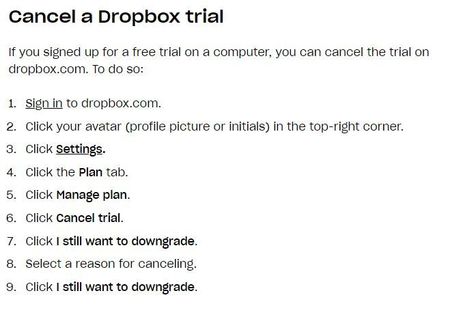
I'm trying to cancel my free trial, but I don't have that option. Here's what the instructions say: The "plan" and "manage plan" are completely absent from my options. I then tried to delet...
- 3 years ago
Hey Red Gerran, sorry to jump in here, but I just wanted to mention that it looks like your trial was indeed cancelled, but you'll get to keep the additional quota till the end of the trial period.


Jay Dropbox Community Moderator
2 years agoDropbox Community ModeratorHi fibut, thanks for bringing this to our attention.
It sounds like you might have already cancelled the trial on your account.
Could you check this page to see if there are any invoices for the trial, and its cancellation?
This will help me to assist further!

fibut
2 years agoExplorer | Level 3
Hi Jay
Thanks for your speedy response.
When I click on the link you sent me, it takes me to my billing page & I just see my credit card details.
- Jay2 years ago
Just to be certain, are you accessing the same Dropbox account that you received in your email? Do you have any other email addresses that could be associated to an account?
- fibut2 years agoExplorer | Level 3
No I only have one account & its the same email address as the one where Drop Box sent me the reminder to cancel the Free Trial
About Plans and Subscriptions
Ask the Dropbox Community for help if you have questions about your Dropbox plan or subscription. Find solutions and share advice with members.
The Dropbox Community team is active from Monday to Friday. We try to respond to you as soon as we can, usually within 2 hours.
If you need more help you can view your support options (expected response time for an email or ticket is 24 hours), or contact us on X, Facebook or Instagram.
For more info on available support options for your Dropbox plan, see this article.
If you found the answer to your question in this Community thread, please 'like' the post to say thanks and to let us know it was useful!


