Your workflow is unique 👨💻 - tell us how you use Dropbox here.
Forum Discussion

Neda_Ivanova
3 years agoExplorer | Level 4
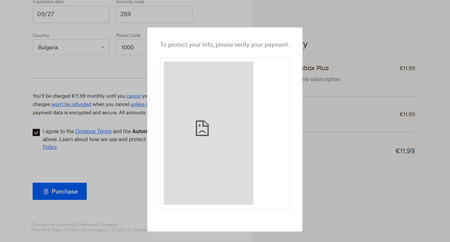
Can't update billing information, I get an error message
My plan has been downgraded to basic for some reason, and I can't update my billing information. I enter all my card details, but then get an error message when trying to verify the card saying "This...

Jay Dropbox Community Moderator
3 years agoDropbox Community ModeratorHi Neda_Ivanova, thanks for bringing this to our attention.
Currently, we're not experiencing any upgrade issues on the site or mobile app.
Are you using your device on the same network connection? Do you have any proxy, VPN, firewall, security software, or even ISP/router settings that could be restricting traffic to the following Dropbox domains?
Have you tried upgrading via another network entirely?
This will help me to assist further!

Neda_Ivanova
3 years agoExplorer | Level 4
Hi, thank you for getting back to me. I tried using the mobile network on my phone also and the same thing happens. I'm not using a VPN or proxy, I have an antivirus program only (on m laptop)
- Jay3 years ago
It does still sound like there's an issue with connecting to the specific Dropbox page for payments.
Could you try using a different computer network entirely (not via your mobile device) to see if you're able to upgrade your account?
- Neda_Ivanova3 years agoExplorer | Level 4
I've tried two different networks over the weekend and I get the same error.
- Neda_Ivanova3 years agoExplorer | Level 4
Also, I tried to pay with PayPal with my card linked to it instead, and this time I just get a message saying "Something went wrong" and it resets me to the same page.
I need a dropbox account for work. Is there a way to get this fixed soon?
- Nancy3 years ago
Hey Neda_Ivanova, sorry for jumping in.
I’ve just logged a ticket for you, so that we can take a closer look into this.
Please reply back to me, when possible.

About Plans and Subscriptions
Ask the Dropbox Community for help if you have questions about your Dropbox plan or subscription. Find solutions and share advice with members.
The Dropbox Community team is active from Monday to Friday. We try to respond to you as soon as we can, usually within 2 hours.
If you need more help you can view your support options (expected response time for an email or ticket is 24 hours), or contact us on X, Facebook or Instagram.
For more info on available support options for your Dropbox plan, see this article.
If you found the answer to your question in this Community thread, please 'like' the post to say thanks and to let us know it was useful!


