Need to see if your shared folder is taking up space on your dropbox 👨💻? Find out how to check here.
Forum Discussion

wheat101
7 years agoExplorer | Level 3
How can I move a folder out of a Team Folder?
How do I move a folder out of the admin team folder? I am the administrator of the account.
14 Replies
Replies have been turned off for this discussion
- MJRgo7 years agoNew member | Level 2
I am running into same issue being discussed on this thread. Has Dropbox offered a solution that allows an admin to move a Team Folder out to a non-Team folder yet? If so, please share.
- Walter7 years ago
Dropbox Community Moderator
I'm sorry to hear you're having issues with this MJRgo.
Could you let me know if you're getting any specific errors when trying to do this and maybe post a screenshot so we can have a visual too?
If you could also walk me through the exact steps you take to do this, I'd appreciate ita bunch!
Thanks in advance and welcome to our Community!
- MJRgo7 years agoNew member | Level 2
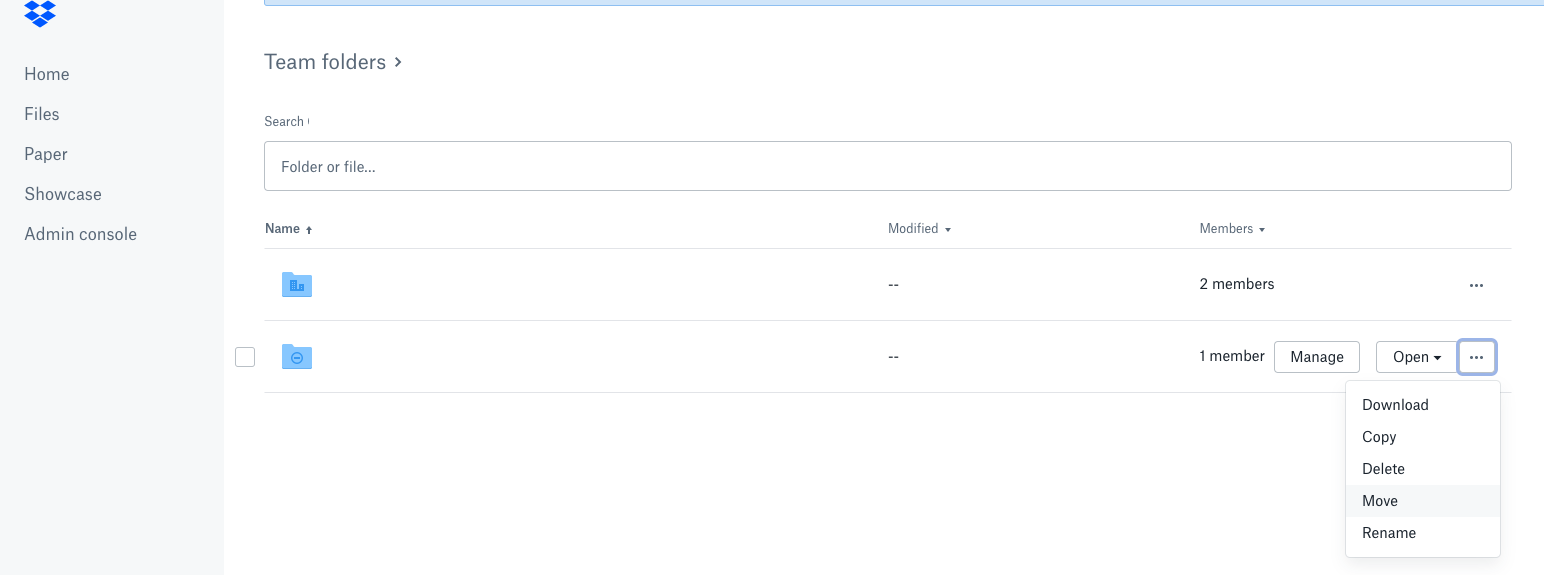
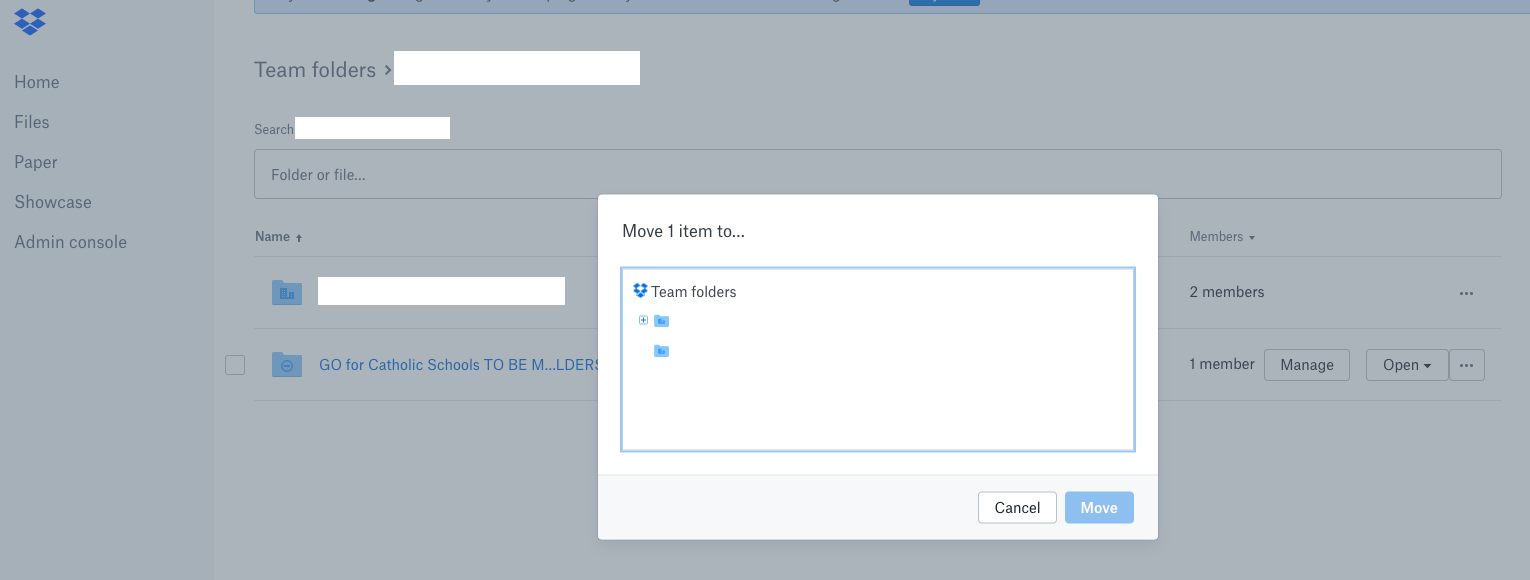
I inadvertently move a folder from my business dropbox folder (only viewable by me) into a Team Folder as I was reorganizing my Dropbox file structure to faciliate better collaboration. When I tried to move that folder back out of the Team Folder to a folder in my business dropbox folder, I can only see Team Folders as options when I select MOVE. Don't see any way to navigate back to my business dropbox folder. See below for a couple of screenshots. NOTE: I am an Admin on the account.
- Walter7 years ago
Thanks for the screenshots MJRgo!
Could you do me a favor and try to perform this action from your account's 'Files' tab instead from within your Admin Console?
Do you get any errors there?
Let me know and we'll take it from there!
[Note: I'm leaving the office soon but I'll be more than glad to pick this up from where we've left off on Monday]

About Security and Permissions
Start a discussion in the Dropbox Community forum to get help with your account security and permissions. Find support from Community members.
The Dropbox Community team is active from Monday to Friday. We try to respond to you as soon as we can, usually within 2 hours.
If you need more help you can view your support options (expected response time for an email or ticket is 24 hours), or contact us on X, Facebook or Instagram.
For more info on available support options for your Dropbox plan, see this article.
If you found the answer to your question in this Community thread, please 'like' the post to say thanks and to let us know it was useful!


