Need to see if your shared folder is taking up space on your dropbox 👨💻? Find out how to check here.
Forum Discussion

DBXCommunity Community Manager
6 years agoCommunity ManagerWhat’s new: Scanner App
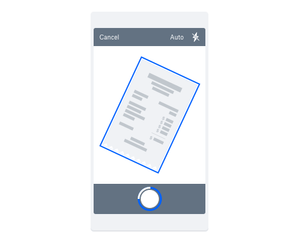
There’s nothing worse than forgetting an idea, or losing an important piece of paper. The one thing we never lose, and usually don’t forget is our phone - so now with the Dropbox Scanner App, you can...

Eric Delisle
6 years agoExplorer | Level 3
App is interesting, works nicely on a Android 10, but image auto acquirying system is to nervous!, app should let us take the picture without trying to do by itself, at least have the option to switch off that facility or make it more slow.
Once you take your shoot, we should be able to magnify image ( on the picture visualization screen), so we can approve the picture quality before going on.
The screen for adjusting the picture is very good. It shows the entire picture, even if the nervous sistem acquired only part of it, we can adjust correctly to the edges with the magnifying sistem.
Saving is simple and efficient.
About Latest News
111 PostsLatest Activity: 22 hours ago
The Dropbox Community team is active from Monday to Friday. We try to respond to you as soon as we can, usually within 2 hours.
If you need more help you can view your support options (expected response time for an email or ticket is 24 hours), or contact us on X, Facebook or Instagram.
For more info on available support options for your Dropbox plan, see this article.
If you found the answer to your question in this Community thread, please 'like' the post to say thanks and to let us know it was useful!


