Your workflow is unique 👨💻 - tell us how you use Dropbox here.
Forum Discussion

RichardNeedsHelp
10 months agoNew member | Level 2
[Dropbox Sign]: Glitch when adding a placeholder text
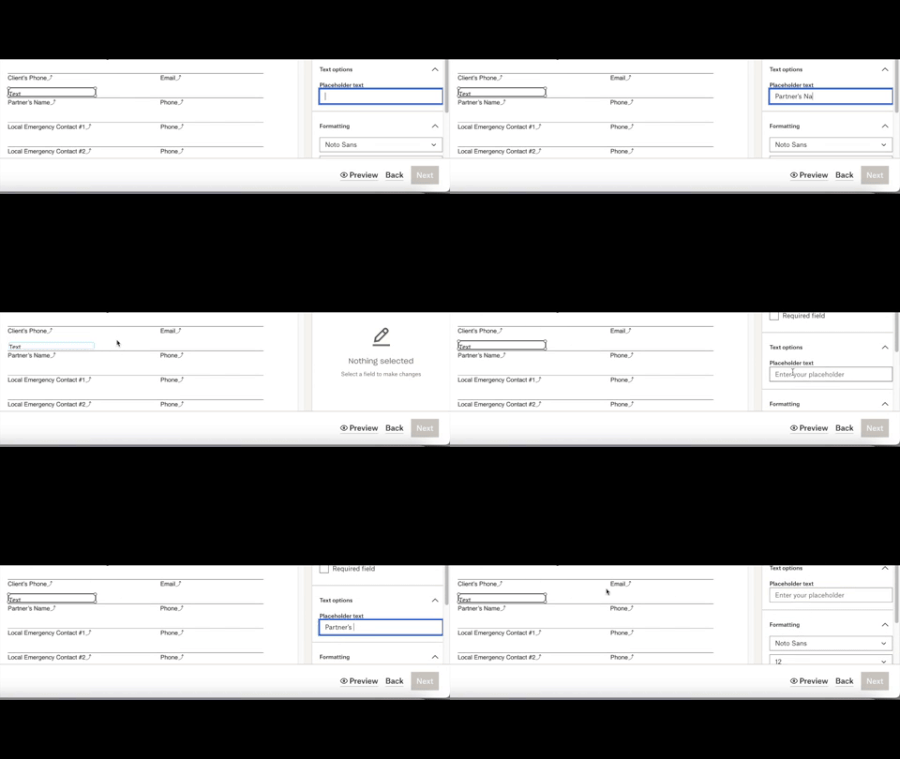
I need urgent help with Dropbox Sign! There is a glitch whenever I try to add Placeholder text. It doesn't stay after being typed. I've tried this in Firefox and Safari (with cleared caches). I've ne...

RichardNeedsHelp
10 months agoNew member | Level 2
I tried this twice as you specified on two separate computers, but the problem persists. Please reach out to me via email to resolve this. I really need this fixed.

Hannah Dropbox Community Moderator
10 months agoDropbox Community ModeratorHey RichardNeedsHelp, I just sent you an email, so we'll continue there.
Thanks!
- christinema10 months agoHelpful | Level 5
I'm having the same problem today (never had this issue before) - is this an issue on Dropbox's end?
- Hannah10 months ago
Sorry to hear that, christinema.
Have you tried on a different browser or a private browsing window, to see if you get the same behavior?
- christinema10 months agoHelpful | Level 5
Yes, tried a different browser and a private browsing window, same behavior - the placeholder text I enter keeps disappearing.
About Dropbox Sign

Ask questions and get help with Dropbox Sign here.
The Dropbox Community team is active from Monday to Friday. We try to respond to you as soon as we can, usually within 2 hours.
If you need more help you can view your support options (expected response time for an email or ticket is 24 hours), or contact us on X, Facebook or Instagram.
For more info on available support options for your Dropbox plan, see this article.
If you found the answer to your question in this Community thread, please 'like' the post to say thanks and to let us know it was useful!


