Your workflow is unique 👨💻 - tell us how you use Dropbox here.
edit
6 Topics
The text goes backwards when filling out fields in Dropbox sign (preview mode).
Hi, I can't be the only one with this issue. Here is the bullet point format of the issue: Create a template using a PDF file. Started with the basics like using the "Name" field Used multiple text fields Entered in preview mode to test entering data I then click the name field I want to enter a name (example), David, What actually is happening when i type D, the cursor goes behind the D, so when I type A its now AD and not DA This is mind boggling and ive been googling and cannot to get it figured out. I had my colleague test it ( thinking its my pc or browser ) Nope, it behaves the same. Surely im missing something here?132Views0likes5Comments
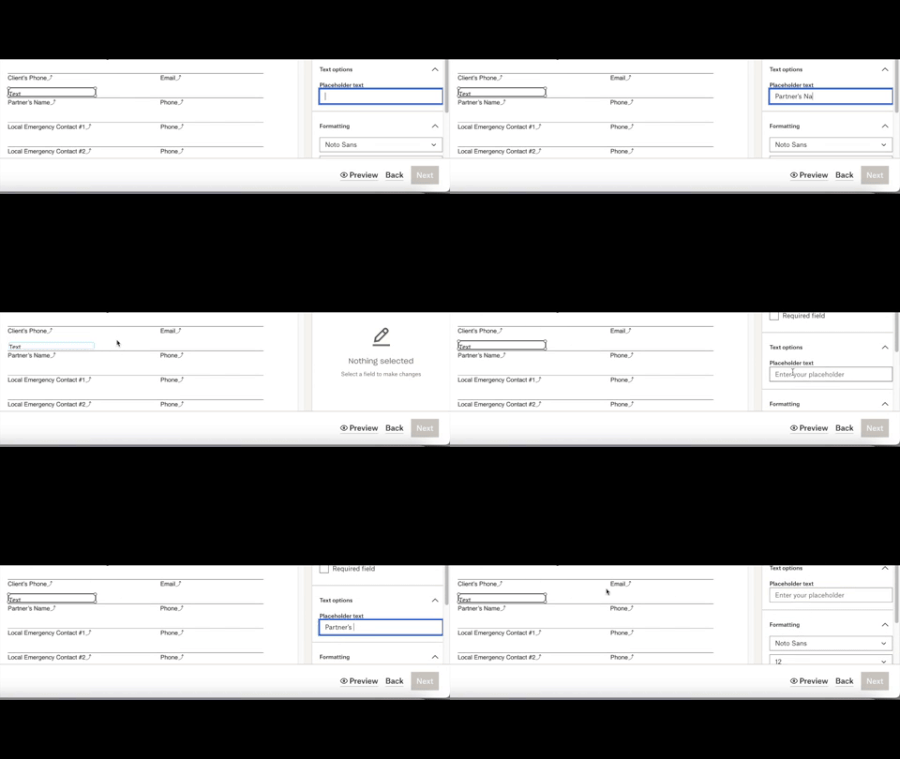
[Dropbox Sign]: Glitch when adding a placeholder text
I need urgent help with Dropbox Sign! There is a glitch whenever I try to add Placeholder text. It doesn't stay after being typed. I've tried this in Firefox and Safari (with cleared caches). I've never had this issue before.1.2KViews1like32Comments
PDF edits not saving. "Preparing your signed document" message.
I am editing my pdf documents and saving them but they are just loading and loading even though my wifi is great and I have even tried different wifi networks. Just keeps saying "preparing your signed document" or "replace original pdf" goes round and round for ages and will not save!608Views0likes4CommentsWhen I try to edit PDFs it asks for a signature. No signature should be required.
Hi, I have editing privileges and can edit word.docx but not PDFs. When I try to edit PDFs it asks for a signature. In fact, my editing privileges are supposed to be unrestricted. No signature should be required. I would appreciate some help on this point. Kind regards, Bryant1948Solved843Views0likes2Comments
PDF Upload to Dropbox is not allowing Pre-existing fields
We have uploaded a PDF to DropBox and the pre-existing fields we need filled out are static when we send the doc to the recipient. What are we doing wrong? We do not get the "Pre-Existing Fields" prompt that another user does.1.1KViews0likes5Comments