Our Community is in read-only mode until April 8th, learn more here. You can still search existing threads or get help via Dropbox Support, the Dropbox Help Center, or Learn.
edit
328 Topics
I download my PDFs for offline use on my iPad, but it corrupts them and I can't edit them.
Hi everyone. I use dropbox primarily through the files folder on my iPad and computer, where I annotate PDFs of textbooks for law school. I have been doing this for a year and it's worked pretty well. Recently, however, I have two problems: (1) Even if I download offline the pdf to my files folder, at some point if I am editing offline, it will try to sync and fail and undownload, leaving me unable to edit the file. (2) In the last week, I have annotated PDFs and saved them. Then they become corrupted and won't open. I then have to restore an earlier version of the PDF, which doesn't have the latest annotation, which is super annoying to lose all of my work. Any ideas or advice on either issue?71Views0likes5Comments
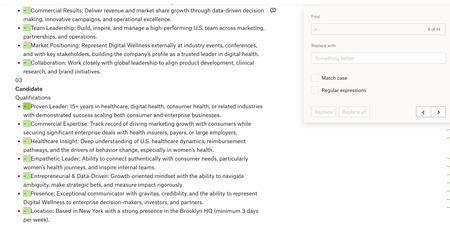
Paper: Find + Replace (with blanks) doesn't work
Device: Macbook Operating System/Browser (if using the web): macOS Tahoe 26.3.1, Chrome Dropbox App Version: Paper Question or Issue Whenever I try using Find & Replace in Dropbox Paper, I can’t seem to replace text with nothing (leave the replacement field blank) the way I can in MS Word/Google Docs. e.g. if I want to quickly remove a recurring character, extra spaces, or formatting marker across a document, Paper doesn’t let me do a blank replace, which makes cleanup much harder than it needs to be.40Views0likes1CommentMy recently edited Microsoft Excel files are suddenly missing.
Device Mac mini, Macbook air Operating System/Browser (if using the web) OSX tahoe Dropbox App Version (if using the app) not sure Question or Issue two commonly-edited (except not the past 30d) excel files are suddenly missing. They were not deleted and were present on multiple machines/devices as recently as early January. The only thing I changed was how I log in to Office 365 (changed from corporate license to university license). I haven't got it backed up in one place so am at a loss re how to recover them.149Views0likes8Comments
My main file doesn't show recent updates (last one was 7 months ago) and there's no history.
Device samsung galaxy s8 and s21 and antique win 7 laptop Operating System/Browser (if using the web) one old android one current, one old windows Question or Issue my main file suddenly is like 7 months old, 7 months lost and no history for thirty days. this is horrible that this can happen, what's the point of backup like this?226Views0likes15CommentsI can't edit my original text in PDF files, even though I'm on the Plus plan.
I finally bit the bullet to upgrade to the Plus Plan primarily for pdf editing capability. When I tried my first pdf edit, I as so disappointed to find that this plan does not allow for editing of original text! As I read the Features web page regarding pdf editing, I saw "With Dropbox plans, you can make in-line text edits that automatically match the original document's font family, size, and styling" and thought that a paid Plus plan would do the trick. Is there any intention to enhance the Plus Plan pdf editing capabilities? Not sure if I need this plan with current limitations.177Views0likes3Comments