Your workflow is unique 👨💻 - tell us how you use Dropbox here.
Camera Uploads
176 Topics
Dropbox iOS app shows my Camera Uploads photos with my Family Room content
This is very strange, I an the organizer of a family plan, and when I select the photos section appears the family room pics by default. Then I activate the camera upload in my iPhone to see the Camera uploads folder, so after finishing with some folders, go to Photos in the Dropbox app and shows the Family Room pics and my personal photos. I don’t know how desactive the Family Room pictures showing mixed with personal photos. Additionally, the camera uploads not create the folders like as Smart Albums are in the iPhone. Device iPhone Air 17 iOS 26.348Views0likes4CommentsTell Us How You Use Dropbox
No two people use Dropbox in exactly the same way. Some of you rely on it every day for work, others for school, creative projects, or keeping life organized - and we love that. We’d love to hear how you’re using Dropbox today - is it something you use once in a while, is it part of your day to day, are there any features you can’t live without? What workflows have you built that save time or reduce friction? And where do you see opportunities for us to do better? Your tips, ideas, and honest feedback really help us to make sure we can share useful tips, and they help other community members discover new ways to get more out of Dropbox too. Share your experience, favorite features, or suggestions in the comments below. Your voice truly helps shape the future of the Dropbox community 😁 The Dropbox Community Team2.9KViews3likes12Comments
Raw iOS files are uploading to Dropbox as .jpg via camera uploads.
Hi - I just saw a post in which April from Dropbox said that Apple Camera Raw transfers on camera upload (I’ve noticed mine don’t) and then did simple test because I don’t use iCloud instead preferring to use dropbox. And voila. Jpg uploaded. Only. No dng. Why is Dropbox so confident that it uploads raw when it clearly doesn’t upload Apple raw despite the setting in camera uploads saying it will? I’ve been uploading now for years thinking it did when iCloud would have. Sigh. What a misclaim!319Views0likes2Comments
I'd like to reset camera uploads on my iOS mobile app.
Device iPhone 17 Operating System/Browser (if using the web) Windows 11 Dropbox App Version (if using the app) 458.2.4 Syncing Status All done backing up Question or Issue I would like to have my Camera Uploads reset so that I can re-upload all photos from my phone taking advantage of the new Live Photos backup feature.Solved82Views0likes2Comments
Photos tab in Dropbox online contains bookoo pics from way back.
I was surprised to find that the Photos tab in Dropbox online (i.e. at Dropbox.com) contains bookoo pics from wayyyy back. I've always deleted pics from the iPhone after naming and saving the ones I want to keep on my PC (in Dropbox folders of my own (conscious) creation). In Dropbox it says, "Camera uploads is turned off." Don't believe I've ever intentionally told Dropbox to save all photos.98Views0likes4Comments
The quality of some of my photos is affected when using camera uploads.
Device Oneplus 13 Operating System/Browser (if using the web) Android 16, OxygenOs 16.0.2 Dropbox App Version (if using the app) 454.2.2 Syncing Status OK Question or Issue When dropbox automatically uploads newly captured photos by my phone and uploads them to the 'Camera Uploads' folder, I am noticing that some* (NOT ALL) photos are being uploaded with a lesser quality. Resolution of the photo is the same, but the file size is significantly smaller, sometimes 60% less, and the picture quality is visibly very hazy. Is there some setting which I am not finding to fix this? *Some photos meaning that for example if I am out taking a set of say 10 photos, #1,#2 would upload with original quality/file size, while #3,#4,#5 will upload with lesser quality/file size, #6 with original, #7,#8#9 with lesser, and #10 with original quality. It's super random.360Views0likes11Comments
Photos upload to Dropbox as duplicates with ‘1’ added to the image title
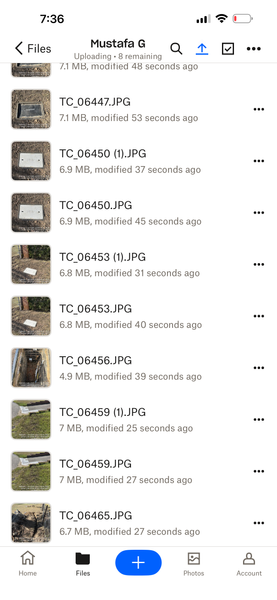
I’m using an iPhone 15 Pro Max. When I upload photos I take with my phone, duplicates are created. This didn’t happen before. I turned on the ‘Upload directly from Camera’ mode, but later turned it off. Since then, duplicates have started appearing. I upload each photo manually.”87Views0likes5CommentsCamera uploads files are heavy and sync slowly due to that. How to stop syncing new files?
Device DESKTOP Operating System/Browser (if using the web) Windows 11 Dropbox App Version (if using the app) Latest Question or Issue Camera Uploads is Packed, very heavy and move slowly due to that, I want to move the old photos to another folder which i will create and i dont want the latest photos to sync again, how do i do it?Solved79Views0likes2Comments