2025 sparked some incredible conversations across our community 👩💻. Discover the highlights and see what’s ahead in 2026.
Dropbox Transfer
184 Topics 7Views0likes0Comments
Recipients confused by the login prompt when downloading files from Transfer or shared link
When sharing files via Dropbox Transfer or a "view-only" link, the "Continue with download only" button is hidden at the bottom. This often confuses recipients because they think they must log in to download. I wish recipients weren't prompted to log in at all when they just want to download the files. Thank you for considering this improvement!Solved68Views1like3Comments
Remove login pop-up on Dropbox transfer downloads
This has been complained about numerous times and it is absurd that Dropbox seemingly refuses to change this. I've received so many complaints from clients with regards to them claiming they need to signup/give a password to download my transfers because the scummy "Or continue with download only" text is easily missable. Just allow people to click the link, view the files, and download without logging in. What else do I pay Dropbox for? I will move to another service soon if this is not changed.44Views0likes1Comment
Request to Reinstate Transfer Link in Dropbox Notification Emails
Hi, I hope you’re doing well. This is not a new idea, but rather a request to reinstate a feature that previously existed and, unfortunately, was removed sometime last year. In the past, when I created a Transfer from a Dropbox folder or file, I would receive an email titled “New Transfer: File Name”. That email included the transfer link directly in a copyable text box. This was extremely helpful, as it allowed me to quickly copy and resend the link - especially when clients asked for it again days later, or when I was away from my computer and needed access via my phone and Gmail. Today, the notification email no longer includes the transfer link. Instead, it contains a “Manage Transfer” button, which opens a browser window outside the email app - and not even the Dropbox app itself, which I have installed on my phone. This extra step makes it much harder and less accessible to quickly retrieve and resend a transfer link, particularly on mobile devices. As a dedicated Dropbox user since 2009, I truly appreciate the product and rely on it heavily in my workflow. Reintroducing the shareable transfer link directly within the email - as it previously existed - would be a simple yet powerful improvement. It offered a fast, intuitive way to access transfer links without having to navigate through multiple windows or menus. Thank you very much for your time and for considering this request. Best regards, Khen45Views0likes1CommentDiscover Dropbox Transfer in video!
Hi beloved Community! Has any of you used Dropbox Transfer, our feature allowing you to share large files to anyone, Dropbox user or not? We put together a video featuring Madison, one of our Product Marketing Manager who built this amazing feature, and some of our users who will explain themselves, in their own words, how Transfer works! Check Dropbox Transfer video here! Did you like this video? And would you like to see more lightweight, educational videos on Dropbox features in the future?1.5KViews3likes0Comments
Someone sent me a File Transfer, but it won't load.
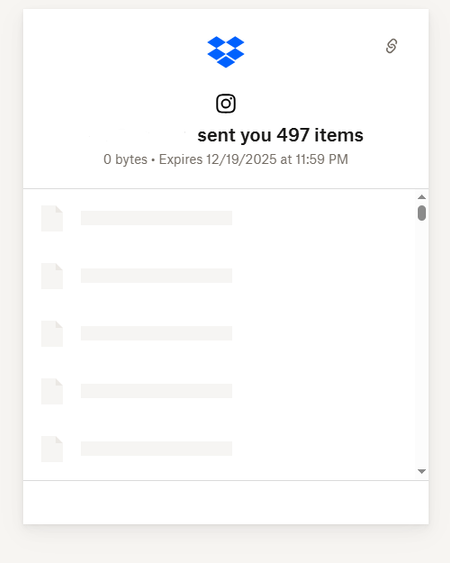
I received a dropbox transfer link from my photographer for my wedding pics but when I click "download" it just opens a link to the website but it stays loading. I haven't been able to see the pics or download them. I've also tried on 3 different devices, my phone, my mac and my work computer. This is what it looks like and they just simply don't load. Can someone help?73Views0likes4CommentsDropboxTransfer: viewing a list of past Transfers in a more specialized and clear log format.
アイディアというわけでもないですが、要望です。 https://help.dropbox.com/ja-jp/share/dropbox-transfer 上記ヘルプより、例えばAdvancedプランだと「有効期限から 180 日後に削除されます」の記載がございます。 180日より前にTransferを行ったものについても、どのようなファイルやフォルダを転送したかについて、ログの確認を行いたいです。 データの中身は無くなっても良く、ログだけで良いです。 御社に伺い、管理コンソール>アクティビティで「転送ファイルを追加しました」でフィルタをかけると良い、と伺いました。 しかし、レポート出力しても「素材データ」列が確認しづらく、ぱっと見、何のデータか分かりにくいです。 できれば過去にTransferを行ったものに特化し、一覧でログが確認できる機能を実装してほしいという要望になります。 恐れ入りますが、ご検討をお願いします。93Views0likes1Comment