Our Community is in read-only mode until April 8th, learn more here. You can still search existing threads or get help via Dropbox Support, the Dropbox Help Center, or Learn.
Dropbox Backup
32 Topics
My laptop doesn't show up in my connected devices list, even though it's syncing files
Having trouble with dropbox not seeing a device. As in, if you go to settings and then click Security - you scroll down and it shows your device list and the devices that have been removed from list. Details: -- I can have 3 active devices, presently shows only 2 listed -- Have ended all dropbox tasks multiple times, have restarted laptop -- Have quit dropbox in taskbar tray -- Have reinstalled dropbox multiple times -- I know dropbox is working with this particular laptop bc I've created "test" documents and saved them on laptop local dropbox file explorer - which then sync up to online files immediately Because dropbox isn't seeing this laptop, I can't use backups. When I try to created a backup, it shows my old PC as the only option for the backup -- I can't choose my laptop bc it doesn't see it. Any ideas?Solved5.3KViews0likes37Comments
Transfer Dropbox Backup to New Mac
I recently bought a new Mac and used the Apple Migration Assistant to transfer all of my data from my old machine to my new one. This included the Dropbox folder and everything else. The migration went smoothly (in the past I have had issues migrating the Dropbox folder) and now I have all of my files on my new machine exactly as they appeared before. I used Dropbox Backup on my old machine, and so the Music, Movies and Pictures folders are stored inside the hidden folder titled "Mac" in the main Dropbox folder, and their original location is replaced with an alias. I now would like to set up Dropbox Backup on my new machine to backup these folders exactly like it did on my old one. However, when I go into Dropbox preferences, it asks if I would like to backup my Mac and shows all of the unticked options for folders to backup. I was wondering what the best way to setup Dropbox Backup on my new computer would be? Do I have to delete the backup, move the folders back into their original location and create a new backup? Or is there a way of telling Dropbox that this machine should inherit the backup of my old machine? I am still currently in possession of my old machine so I can access things from there if necessary. I thought it would be best to wait and hear the correct way of doing this, since I have tried in the past to fix things very quickly myself making the situation worse, as I have seen other people with similar stories do.4.5KViews0likes25CommentsHow do I select specific folders for automatic backup?
This sounds like such a simple thing but I cannot figure out how to choose specific folders to automatically backup. When I get to the backup folder selection menu in the dropbox app I have half a dozen high level choices like "Desktop", "Downloads", and "Videos" to choose from but I don't want to automatically backup any of those, I want to backup specific folders like "C:\cygwin64\home\foo\bar" - how do I tell the app to do that? I'm on a Windows 11 PC.Solved4.4KViews1like6Comments
Duplicate "Desktop" folders, real desktop not syncing
TIA for help. Mysteriously, when dropbox was set up a long time ago, a "desktop" folder was created directly in Dropbox (Dropbox/Desktop), which is different from my actual "desktop" (on an ewer MacBook Air) which is Macintosh/Users/username/Desktop. Dropbox is syncing to the rogue Desktop folder that is not actually my desktop - and when I go to try and select my actual desktop folder - it doesn't show up as a separate option, it only shows the Desktop that only lives in Dropbox. I'm afraid to move the (random) contents of that rogue folder and delete it in order to see if the real Desktop will show up because I don't want to do something wrong by mistake! I don't know how the rogue one got there (although over a year ago I had some issue and Dropbox helped me reconfigure and I think it happened then and I didn't notice till later). Thank you!3.1KViews1like9CommentsExternal HDD not available in the "Manage Backups" settings
I'm trying to set up a backup for my external 8TB Seagate Hub. The drive is not offered as an option under the "Manage Backups" settings on the desktop app. A USB memory card reader was recognized and offered as an external drive backup (that's not showing now either). I've tried multiple USB3 ports and multiple USB3 cables. I've uninstalled and reinstalled dropbox on my PC. Still can't set up the backup. Any suggestions? Thanks in advance.2.9KViews0likes20CommentsDropbox defaults to Backups
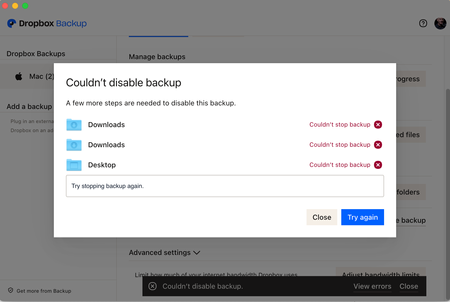
Hi, Today my Dropbox suddenly started redirecting into "Backups" and I am unable to upload files to my account. It seems to want to automatically backup or sync all my files which I do not want. I searched for instructions of how to disable backups but can't find the settings listed. According to Dropbox help page the disabling should happen by: Open your Dropbox desktop preferences. Click the Backups tab. Click Manage backup. Under Adjust settings, click Disable backup. I can get to point 3 but I don't have any 'Adjust' settings option. The screen is showing that my Mac is disabled for backups and the only action I can take is to enable backup... Has anyone else had the same issue and how did you resolve it?2.6KViews0likes14Comments