Our Community is in read-only mode until April 8th, learn more here. You can still search existing threads or get help via Dropbox Support, the Dropbox Help Center, or Learn.
Dropbox Paper
250 Topics
Migrate from Evernote to Dropbox Paper
Dropbox Paper is an ideal candidate to replace Evernote. Here's what would need to happen, I believe, for many folks to make the switch. In order of priority: Import Evernote (.enex) data (Dropbox Paper is perfect for this, because each Paper doc can contains notes, attachments, and links like Evernote notes do.) Webclipper Email to Dropbox Paper ---- Why Dropbox Paper would be better than Evernote: Active development Beautiful UI/UX Better collaboration Dropbox is *already* where I keep everything else! Way better device apps, with killer features like scan to document. Dropbox's bulletproof sync and backup. (But if I can't get started by moving my data from Evernote to Dropbox Paper, then this is all moot!)28KViews75likes9Comments
Can I merge cells in a row in a table in PAPER? And additional formatting questions!!!
Hi all, I am just starting to use PAPER (and loving it). I'm looking for some formatting tips that I can't find the answers for online. For example: I'd like to merge cells in a row in a table, is there a way to do that? Can I customize the font sizes within a document? Can I italicize and underline text? OK, many thanks, DEVILLESSolved18KViews13likes19CommentsIntroducing note boxes: A quick way to add important notes to your Paper docs
Hi Paper pals 👋 I just wanted to pop in to let you know about a new shortcut we released in Dropbox Paper today. On a new line, type /note and press Enter. You’ll get a colored note box that you can use to add important notes in your doc. Here’s how it looks in action: You can use note boxes to create summaries at the top of your doc, insert examples into your documentation, or add important tips for your readers. You can even create different colored boxes by typing /note red, /note green, and so on. We hope you’ll give it a try, and if you have any feedback—good or bad, please feel free to post here anytime. Thanks! John (from the Paper Design team)6.8KViews12likes4Comments
Hanging punctuations in a Paper doc
In a Paper doc, if you start a line with a quotation mark, or a few other punctuation characters, you'll notice the character is outdented to the left of the margin. This is by design, and is called "hanging punctuation" or "optical character alignment", and ensures that the flow of the body of text isn't disrupted. You can read more about this concept here.4.1KViews9likes1CommentIs Dropbox Paper dead in the water?
Hi everyone, I really like how Dropbox Paper works and I would love to move all my work from other alternatives to work only in Paper. But I'm a bit worried that Dropbox ignores Paper at this point and don't improve it. The last "news" to Paper was on March 5 which is a very long time ago. And I don't want to work in a tool that the developers doesn't want to improve. Anyone know how the development around Paper will be going forward? Thanks and have a nice day all.9.1KViews7likes11CommentsDropbox Basic: Learn the Basics
If you are reading this, chances are you are new to Dropbox. Welcome! Many of us begin our Dropbox journey with a Basic Account, which has so many perks, and of course, it is free! The basics of your Basic account: Users and Space The Dropbox Basic account allows for 1 user. This means you are the only person that can use this account. But don’t worry, one user doesn’t just mean one device - you can have 3 different devices connected to your Dropbox account. I connected my dropbox account to my phone, tablet, and laptop. When I was in Ghana, I was able to access all of my files from my phone, and to upload some photos. Want to learn more about connecting your mobile devices? Discover how to make the most of your mobile access to Dropbox. Using your Dropbox Basic account: So to get started, you can upload almost any file type to your Dropbox account and keep your important files safe! Whether it’s music files, pictures, media, documents, simply upload and you can access your files anytime, anywhere! With a Dropbox Basic plan you have 2GB of space to use. And of course, we keep your files safe! Dropbox uses multi-factor authentication to ensure that all of your files are secure. Check out how Dropbox uses encryption to provide security for your files. When I received my first multi-factor message I said to myself, “Come on Safety”. Dropbox Basic tools you might not know about: The tools within Dropbox are the real secret sauce. Here are some Dropbox features and products you might not know about, check them out below and find out if they can help you to make plans, organize files and save time! Dropbox Paper is a collaboration tool with endless possibilities! Charts, headings and formatting is made easy with one click, LITERALLY. This program is great for creating proposals, project plans and just quickly taking notes. The best part of it is that it takes up very little space in your Dropbox account. Trust me, I make paper docs for all of my todo lists, to plan family trips and to organize any personal projects. Paper has truly become one of my favorite products to use. HelloSign allows you to send 3 documents for eSignature per month. In the digital world we live in, this is a perfect way to get a signature from someone you may not see in person. Explore HelloSign, a simple and easy way to get documents signed securely online. I recently needed a contractor to sign a document that I drafted to fix my home and the document was signed and sent back to me within minutes. And of course, the signed docs are safe and secure too! Dropbox Capture is a tool used to Capture the attention of the person you‘re chatting to. With Capture you can share your thoughts with screenshots, GIFs, or simple videos recorded right on your screen. The upside is that you can clearly say what you mean without scheduling another meeting. Learn more about how to use Dropbox Capture. Having a Dropbox Basic account is more than just a space to store your information. Use Dropbox to manage and organize your files, whether it’s for a project, sharing memories or connecting with others. 😁 Will you use these tips to make the most of your Dropbox Basic account?8.9KViews6likes1Comment
I'd like to receive real-time email notifications
Dear Forum Users, I am currently using a free Dropbox account for the purpose of testing. The objective of the overall exercise is to identify web-based solutions for the storage of and collaboration on documents of various standard file types (MS Office files, pdf files etc). I understand that in the notifications menu in Settings I can check the box for "Activity in shared folders (weekly digest)". This presumably means that once a week I get an email message describing what "happened" in shared folders (i.e., additions, revisions, deletions; additional users with access to the folder etc). My company is currently using Egnyte for sharing and jointly working on documents with clients. Egnyte offers the option of receiving updates of the type referred to above on a daily or even on a real-time basis. The real-time notifications have become an essential element of our workflows, so we would only consider switching to Dropbox if a paid Dropbox plan offered the same feature. I have noted that upon installing the desktop app it may be possible to receive notifications of the kind I am referring to although they would presumably not be sent / received via email. Unfortunately, relying on the use of the desktop app is not an option for us. The notifications about changes need to be sent by email and they need to work even if only the web-based version of Dropbox is used. If anyone knows whether any (and, if yes, which) paid Dropbox plan provides the exact functionality that I am looking for I would be grateful for a reply. From some brief research in the "help" section of the website, I note that the notification settings for Dropbox Paper are different / separate from the ones for the regular Dropbox. Ideally the answer would also describe which notifications (if any) are available for Dropbox Paper. From my research, I also note that the use of an additional third-party programme such as Growl or Zapier might make it possible to receive the kind of notifications that we are interested in. We would be happy to consider this option. The cost of additional app subscriptions is not a concern, but whatever we end up setting up has to absolutely, reliably work. Whatever the responses may be, many thanks in advance for your time and trouble. EdSolved13KViews6likes15CommentsIntroducing:: Dark mode for Paper
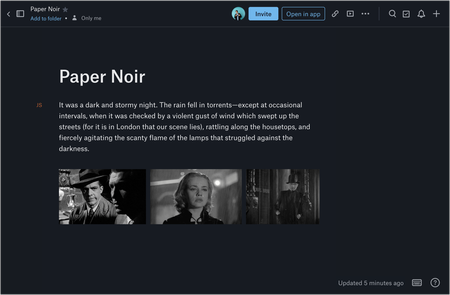
Overview Dark mode has been one of Paper’s most requested features from our users. We are now very happy to say that dark mode for Paper is now available! Audience This feature is available to all Dropbox Paper users, including our Basic, Pro and Plus subscriptions, not just those on a team subscription. How do I get it If you haven’t seen dark mode yet, you can flip it on from the “?” menu on the bottom-right of any Paper doc. You can also turn on dark mode from your computer’s system preferences. This is available on desktop, so get on there and start using it now! More ideas If you have more ideas on how we can improve our product then check out our Paper ideation board here, or our Dropbox Business ideation board here. Request improvements, suggest ideas, we’ll review them all! Thank you for helping to improve our product.56KViews6likes2Comments"What's that?" - How my habits where translated company wide using Paper #Paperusecase
I've always had a habit of over-communicating. In fact, I think that's why I'm a UX designer. Over my progression from marketing, to graphic design, to web design, to front end dev and landing in UX, my takeaways would be the joy of explaining things visually and really being satisfied when things are understood. Actually, you could also go far the other side of that and say one of my greatest fears is being misunderstood. I've always worked in small teams, small for be being very small startups. I'm talking 1-20 people, and even then maybe 8 of those people I communicated with on a daily basis. 6 months ago I joined a fantastic company of 35+ wonderful individuals in the interior design industry. A young, successful business, looking for a UX/UI designer to help them on their journey to redefine their product and continue to progress as a digital first product. I'd be working on a brand new product team, as a UX team of one. I'd be working daily with every in house department, and by being the gate keeper to everything web; my communication would need to be excellent. I'd like to add here that the company and team I work with are fantastic pioneers of working freedom. While we might be expertly following processes to meet business needs, the company also encourages heavily the freedom to use any tools or methods that work best - I'm a huge advocate for this and it's one of the reasons I took the job. I remember Dropbox Paper releasing the timeline feature. I wasn't aware too much of the product, having been using Google Drive for file storage, I'd convinced myself not to worry to much about Dropbox as a service. I think I saw the timeline feature and 'Paper' be mentioned on Twitter first. At the time I was trying various tools to communicate a simple projects next steps and all I had at my fingertips were overcomplicated project management roadmaps that no one was ever going to glance at and I was about an hour away from thinking "Ugh, I'll just design my own in Sketch" which would have taken more time than it needed to in order to get the message across. I looked at Dropbox Paper and realised instantly that I could put not only my timeline in here, but I could drop the whole feature release notes and share this with the team. And then oh! Look! It integrates with InVision... I'll drop the prototype in h-Oh! Look, I can also put in GIFs and oh-the tables on here are amazing and OH-You get the idea. I shared the document with the Product Manager who didn't mention anything about the feature release notes, but instead she asked "what's this made in?". And from then onwards, what I can only explain as a 'ripple effect' happened with Paper in the entire company. As if that wasn't enough of a backstory, here are some of my take-aways: Natural communication Paper helped me to not worry too much about the structure or layout of a communication document. If anything, it encouraged me to write naturally. I've never had that with any other tool. That's not just me, either. In fact, internally we used to have pretty set structures on how documents were laid out in .docs - We had templates. They weren't inspirational to read or write. When the value of Paper dripped out company wide, we threw away templated docs and encouraged employees to use whatever they liked and in whatever order they wished, as long as the information was clearly communicated. Comments on documents are non-intrusive and in turn look constructive and helpful instead of intrusive and frustrating. Creativity .docs aren't creative. And although Paper helped me and the team move away from .docs as a communicator, I never really saw it as a replacement. It's something else. Feels like an extention to inspiration. Our Brand Manager used to use PSD files with basic designs in them in order to have his documentation understood in a creative environment. He doesn't do that anymore because the same feeling can be expressed in Paper. Built by listeners A couple of months ago I tweeted out at the team that a coloured highlighter tool would be useful - As the only choice for highlighted text was blue. Within an hour I had a tweet back from a member of the team (let me add here, not just a TRB Support account, but a real team member with a real heart and real fingers). They wanted to know more about my use-case and I told them that I'd love to be able to highlight levels of importance, e.g green for easy, red for hard. And right now I couldn't do that. Well... I'm pleased to say I now can. The team listened and that feature now allows me to choose from 5 colours. It's a godsend to be listened to. Do what you want I'm also a musician. I arrange and compose. I do this in a little book and I do it at home. I'd not used Paper outside of work but when I needed to rearrange and transpose a song of mine, which was a pain in the ass because it had all been written down physically, I thought "Paper!". I snapped photos of my book, pulled it all apart, arranged by pages and started writing out new chord structures in the document. I even used the code tool to separate my chords from everything else. It was a dream! Conclusion I'm going to wrap it up here, at the risk of going on and on. People say ‘tools’ transform how they work, if it’s a good tool. But really, I’d say it’s extended what I already and naturally wanted to do. And by that example, individuals have followed suit. When you see an example of something done well, you want to follow it, it sets the bar of what’s achievable. Paper does that in a positive way. I was at a UX conference in London last week when the person sat next to me leaned over and said “your notes are beautiful”.5.3KViews6likes2Comments