Your workflow is unique 👨💻 - tell us how you use Dropbox here.
Organize
8 Topics
Any system, tool, or tip for bulk-creating structured folders efficiently?
Hi all, I’m currently trying to improve how I handle client onboarding, specifically, the folder structures we set up in Dropbox. Right now, I’ve been creating folders manually for each new client, with subfolders for contracts, reports, communications, etc. But as the volume increases, it’s becoming really time-consuming and prone to inconsistencies. I’m wondering if anyone has a system, tool, or tip for bulk-creating structured folders efficiently? Ideally something that works with Dropbox. I recently came across a tool called EZFolders that lets you generate folder structures using AI, either by typing a command or uploading a CSV. It also has an AI assistant that helps guide you if you’re not sure how to format things. Seems like it could help, but I’m curious if anyone here has used it or knows more about it before I dive in. Would love to hear what others are doing to save time with this kind of task!422Views1like3CommentsGet your 2025 Travel Plans sorted with Dropbox ✈️
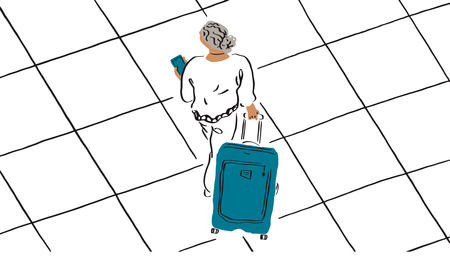
Ah, January. The festive season is behind us, and while the weather may not be the best (like here in Ireland anyway 🌧️), it’s the perfect time to set your sights on something brighter... Planning an incredible trip for 2025! After all, nothing beats the winter blues quite like daydreaming about future adventures 🏖️. And here’s the best part, Dropbox is here to make your travel planning not just easier but actually enjoyable ✈️. Here’s how to use it to organize your trip like a pro (and keep the stress at bay, well.. until it’s time to pack 🧳). Starting your travel plans can be overwhelming so my first point of call would be to create a Travel 2025 Folder. Inside, create subfolders for each trip you’re dreaming of. Whether it’s a foodie tour in Italy 🍝🇮🇹 or a beach escape to Bali 🏖️🌴, having everything neatly organized in one place will make planning a breeze. Got travel buddies? Make life easier (and arguments fewer) by creating a shared Dropbox folder. Everyone can pop in their ideas 💡, flight options ✈️, and must-see spots 📍. Plus, when someone inevitably asks, “Wait, where are we staying?” you can just point them to the folder. When you travel 🌍, you never know how your mobile or cell data is going to be affected, and you can't rely on wifi networks. But this will be no problem, as you’ve already saved offline copies of your tickets 🎫, hotel reservations. You can now even re-read the sightseeing itinerary you put together mid-flight and get extra excited 🤩. Don’t let your stunning sunset pics and foodie shots be jeopardized by an overworked phone memory. Use Dropbox to back up your travel photos 📸 as you go by using mobile camera uploads . Hey, even if your phone also decides to take a dip in the pool 🏊♂️, your memories are safe and sound 💌. Forgetfulness happens to the best of us, especially when juggling flights, tours, and packing lists. Link Dropbox to your calendar and set reminders for key travel dates. You’ll never miss a check-in 🛫 or forget to book that romantic dinner with a view 🌇. So, what are you waiting for? Pour yourself a cup of coffee (or a glass of wine🍷, we’re not judging 😉), open up Dropbox, and start planning your 2025 getaway. With everything organized and at your fingertips, this year is already looking brighter. Bon voyage! 🌍✈️294Views1like2Comments
Tricks for exporting file names to an Excel spreadsheet as index.
I have tried Zappier and other automations for exporting folders, subfolders, and even the files names to an excel spreadsheet to create an index or guide, even with the link for an easier access. Can anyone share a way to do such export or copy paste hack?1.3KViews1like4Comments