Your workflow is unique 👨💻 - tell us how you use Dropbox here.
dropbox business
28 Topics
Microsoft Office files won't open for a specific user with an error
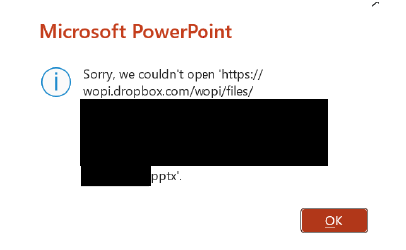
Integration Affected Microsoft Office Device Surface Laptop 5 Operating System/Browser (if using the web) Windows 11 Dropbox App Version (if using the app) 238.4.6075 Question or Issue One of our employees is experiencing an issue with opening files saved in Dropbox intermittently. Others are able to open the files and the user can usually open the file after a few minutes have passed. This happens both when a file was just modified by another user and when a file has not been modified in days and no one else has the file open. It also occurs if a file is saved with "Autosave" toggled on or toggled off. The user can open the file via the File Explorer context menu to open the file in Dropbox.com and then in PowerPoint/Excel/Word. Is there a way to fix this as the work around takes time and interferes with the employee's workflow.84Views0likes3Comments
Data Migration from Sharepoint/OneDrive to Dropbox.
Hello I am new to Dropbox and I am currently setting up Dropbox (former Sharepoint/OneDrive user). I can't find a lot of information on how to migrate from Sharepoint/OneDrive to Dropbox almost all the information are the other way around. Are there some best practices or guidlines I can follow and use. Do tools for data migration from Dropbox exists? The only information I could find was movebot and Storage Guardian. Are there any reviews and helpful tips? Good to know: I have a lot of data 1.5 TB + which I want to migrate without loss. I would be really thankful I someone can provide me with detailled information about this topic or even a guidline. Thanks a lot.Solved3.3KViews1like2Comments
Is the Dropbox and Zoom integration down?
Integration Affected Zoom + Dropbox Device ALL - Macbook Pro M2, iPhone 15 ProMax Operating System/Browser (if using the web) macOs Tahoe 26 Beta 26.2 Dropbox App Version (if using the app) Browser + iPhone App Question or Issue We have used the Zoom + Dropbox integration to automatically copy recorded Zoom Meetings to Dropbox for several years now but have not had a new recording transfer since November 5, 2025 despite having many new Zoom recordings saved to the cloud. We have removed the Dropbox App for Zoom, reinstalled the Zoom App, and made sure the box was checked to "Copy Zoom cloud recordings to Dropbox" and selected the box to UPDATE. The integration is still not working. I have seen several posts from other Dropbox users with the same issue but have not seen an OFFICIAL statement from Dropbox acknowledging that this is a KNOWN ISSUE. Can someone from Dropbox please clarify? Thanks in advance!129Views0likes1Comment
Team folders in Power Automate have stopped working after 20/04/2024 upgrade
Since the upgrade to Dropbox on the 20/04/2024 we have encountered a number of issues with apps and programs that utilise Dropbox. Rather than confusing the issue, the first of these relates to Microsoft power automate. The team Dropbox folders that are shared with me and monitored by this program have now disappeared. The only Dropbox folders I can see our my specific folders, and not those that I have access to as part of a team. In my DBL Dropbox desktop folder I have my profile folder and then I have access to all the team folders that I am part of. I can access these on my desktop and online without an issue. The problem I have is that if I am trying to access these team folders through any other software, they are not visible following the upgrade on 20 April? This is causing major issues and I assume that there is a setting that needs to be changed for me and my colleagues? Any thoughts would be appreciated.6.3KViews3likes16Comments
I can't see the top level folder in Adobe after the latest Dropbox team update
Our organization (Dropbox Advanced) recently was migrated to the Dropbox "team space" file system model. I have encountered no unexpected behavior with interacting with my files in macOS Finder or Windows Explorer in the usual way. However, I occasionally will use the Adobe + Dropbox integration to access PDFs in my Dropbox folders directly inside Acrobat Pro or Acrobat Reader, both in macOS and in Windows. After we were migrated, the Adobe + Dropbox integration (under "Other file storage" in the Acrobat sidebar) only seems to be able to access my personal folder within my Dropbox ("/[FullName]"), not the top level ("/"). Furthermore, the file storage label under "Other file storage" in the Acrobat sidebar is still "Dropbox ([OrgName])" instead of the new "[OrgName] Dropbox" as it it labeled in macOS Finder and Windows Explorer. I have disconnected and reconnected the Adobe + Dropbox integration inside Acrobat in both macOS and Windows, and the behavior is the same; no access to the top level. Acrobat is up to date in all cases. Is this a situation where Adobe has not updated their macOS and Windows Acrobats to accommodate these changes? My iOS Adobe Acrobat works just fine with the team space model, with appropriate and expected access to the top level of files. TIA, Joe1.4KViews0likes7Comments
Synology Cloud Sync not working since Dropbox Business update
Hi all, first post here, and I'm not sure where to post this, since I don't know the solution yet. We have a Dropbox Business subscription running with 15 users using several terabytes, more than our client computers can store. There are 3 main shared folders at the root folder, accessible to all users. And we have Synology NAS server which was configured to copy all data to its RAID5 storage (enough space), so we have a local copy of all data. This was done using the Cloud Sync app on the NAS. It was configured like a Dropbox user, with its own account and subscription. Since the Dropbox Business update, which renamed the root folder and added separate folders for each user, the NAS client does not see the shared folders anymore, and it simply removed all data from the NAS. When trying to set up the client again, the shared folders are not visible. Is there anything that can be done to get the previous backup solution working again? Maybe it is a problem with permissions? Or do you suggest using another method to mirror all data locally to our NAS storage. Thanks in advance 🙂Solved5.8KViews0likes8CommentsHow to upgrade from Legacy Paper?
I found other forum discussions about how to update from Legacy Paper to the "2020 release"... so that we can have our files all organized in Dropbox (storage)... versus the Paper file system. Those discussions suggest that there was not a way to manually upgrade... BUT, since those discussions are 3 or 4 years old... I figure there must now be a way to do it... Right? There is a way to upgrade now, right? (Insert "Anakin / Padme meme here)Solved2.7KViews2likes8Comments
Cannot use excel files offline when saved for offline use
I am experience an issue where dropbox tells me I must be connected to internet to open excel files in the dropbox app on my android phone, which I have "made available offline" for this exact purpose... Dropbox keeps sending me back automated replys to my issue telling me to save the file for offline use. I have. I need to be able to edit data offline, or these features are useless to me and I might as well use the free google drive. I have paid for Microsoft Office Business 365 so this should work from what I have read. I have a dropbox business account. Cannot get a single human being to talk to from Dropbox. I cant believe a company can be run like this and get away with it.2.1KViews0likes7Comments
How can I backup our entire Enterprise Dropbox account?
We are planning to use Dropbox for our enterprise storage and file solution. We expect to have about 100TB of data across the world. For regulatory purposes and because the cloud is not a backup (at least from our view) wen want to have a backup of all the files. We need to be able go have backups for certain files 10 years back. We are using Veeam for all other backups. How do other companies handle this issue? I am thinking of two sulutions: Have a VM with dropbox sync and then backup the VM Use a Synology NAS with CloudSync as a backup Any other, better ideas?1.4KViews1like2CommentsDropbox and opening files in Word Office 365 - I get a white box and no ability to authorise
So this is driving me crazy 🙂 Running Ipads using JamF and Securly. Just recently some users not all are unable to open Word / Exel etc documents from dropbox ipad application (latest version running on IOS 17.3 Dropbox for Teams / Office 365 for Faculty A1 licenses - I've cleaned a new Ipad and replicated and happens for me, tried on my personal ipad and can get it to sync. So what happens is - Go to dropbox - open a .doc file and have ability to open in Word ( logged into Dropbox App / logged into Msoft O365) Click open in Word and it goes to O365 app, white box opens (authorisation box) and this just stays blank with a connecting label at the top. Go to connect Cloud storage in O365 and same thing, no authorisation just a white box. (go to other storage devices Box etc and all ok) Totally confused as to where the error lies, not all users. Reviewed all settings in Jamf every user on same profile, cleaned up a ipad as stated. Any advice ?2.3KViews0likes11Comments