Our Community is in read-only mode until April 8th, learn more here. You can still search existing threads or get help via Dropbox Support, the Dropbox Help Center, or Learn.
edit
255 Topics
Unable to rename a file after copying it from another file
Hi, I created a copy of a file in my dropbox folder using the Macos Finder. However, I am now unable to rename the new file via the Finder. I can rename via the command line (`mv` command), but that's not really a great situation. Also, if I try to delete the file, it asks me if I want to permanently delete it, instead of the expected behavior which is to move it to the trash. Can you help me understand why this happens, and how to avoid it? Thanks!1.4KViews5likes4Comments
Edit files in vault on Windows
I've looked into new Dropbox plus features this morning, tried out the new Vault feature. I've realized that, when you are on Windows, there is no way to edit the files you have in the Vault. You can do this on Android with the Dropbox app, because the app has a text editor, but on Windows the way to edit files is to opened the sync file on your machine. However, the Vault folder does not get synced. Text files can't be edited in the browser in Dropbox, so the only options for editing the files in the Vault right now seems to be to move them out of the Vault, edit them, move them back in the Vault. Maybe someone has looked into this more. Is there a way to edit those files without moving them? Is there any plan to implement something to permit this (the Vault is a new feature)? Or will there be an option in the future to sync the Vault folder to Windows (while keeping it secure)?7.2KViews5likes7Comments
'Search by tag' not working
I have applied tags to my photos, but the tags are not showing up in the search bar. When I perform the search, I get results that I assume Dropbox's image classifier has unhelpfully recognized as related to my tag search, but I am not able to filter results that actually have that tag. I have cleared my cache, used Firefox and Chrome browsers (most recent versions), I have used the browsers in incognito/private modes, used Windows and macOS operating systems (most recent versions), and tried searching via my desktop file explorers. Nothing works. I have not tried to move the photos into a new folder to tag them there, because the entire point of adding tags was to filter photos that I wanted to move in the first place.Solved8.6KViews4likes19CommentsThe Badge shows a file was edited 420 years ago
Is anyone else having issues with Badge, randomly showing "<user> last edited this file 420 years ago". it seems to affect both mac and windows users and appears to be random- in that we can't link it to a prticular folder/file or user. Dropbox said they were investigating but have not come back with any explanation. cheers MartySolved13KViews4likes40Comments
Updating .txt files on PC doesn't update it on the Android app unless the file is renamed
Some days ago started problems with .txt files syncing between PC and Android. When changing and saving file in PC the Anrdoid DB folder shows new saving date but when opening file the content is old. Android DB is updating the file content only when changing the file name in PC. Problem seems to be on Androids side. Syncing other way from Android to PC there are no problems. Also no problem with other file formats but .txt files. Reinstalled DB both in PC and Android but no changes.Solved4.8KViews3likes8CommentsDuplicated Files Cannot Be Renamed - Ventura 13.4.1
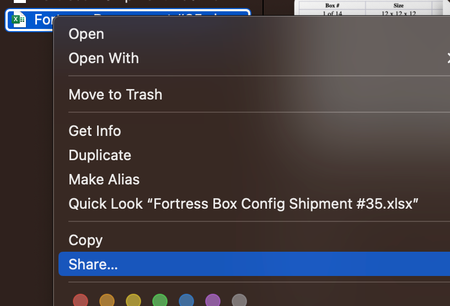
Hello, Since upgrading to Ventura I have noticed several weird bugs with DropBox. The most recent is that I can't rename a duplicated file. Pressing "Enter" gives the "error" chime. Right-clicking does not give the rename option (screenshot below). I can rename the file on dropbox.com and the change is reflected locally but this is time-consuming. This has happened for multiple files in different folders.7.6KViews3likes38CommentsI cannot rename a file in the Dropbox folder
Good Morning Everyone hope someone help me. We use the dropbox from desktop file. If I tried to re-name the file in the desktop, it doesn't let me change longer ( It used to be okay). However, if I re-named the file in the Dropbox Website, it let me change the name longer. ( it automatically changed the name in my desktop file too) Then, I cannot open the file from the desktop until I rename to shorter or copy to additional file to rename shorter. I want to rename the file in the desktop and open it without rename to shorter. Can anyone help me to fix the issue?7.4KViews3likes9Comments
Paper Older Version
Hi Folks, I have a problem. I am using Paper for a long time ago and recently some of my colleagues joined Paper I shared some folders with them but they are unable to do any edit in the folder and got this error "Can't select this folder because was created with an older version of Paper", after that I worked with their account. Find out their Paper is completely different and works differently, it's like a part of the main dropbox. Do you have any idea how to fix it? or update my Paper to their version?3.6KViews3likes15Comments