Your workflow is unique 👨💻 - tell us how you use Dropbox here.
windows
73 Topics
Dropbox options missing in right-click menu on Windows
Hi guys, today, probably after downloading and installing latest stable release a Dropbox, the context menu disappeared from Windows Explorer. Dropbox version: 183.4.7058 Windows 10 version: 22H2 OS build 19045.3448 Unfortunately I am not sure, what version was installed prior to update. Any ideas to solve this? Was reading older posts of same issue and not sure how to proceed? Downgrade to older stable and disable updates for a while? Thanks PetrSolved47KViews5likes86Comments
How can I keep my files local and not online only?
I have a new computer & I've been trying to download my DB files to my new computer. I've just discovered that YOU decided I need to save space on my hardrive & half my files are on some cloud rather than downloaded to my computer. I DON'T WANT THIS. I've tried everything to download everything on Dropbox to my new computer & I've spent way too much time trying to remedy this--- way more time than I needed or wanted to spend! I am not interested in Local or online whatever it's called. Just leave my Dropbox alone. So, how do get my Dropbox back to the way I had it? How do I get rid of this cloud crap? The so-called solutions I read so far do not work for me. And, please, in the future, LEAVE MY DROPBOX ALONE.Solved41KViews34likes24Comments
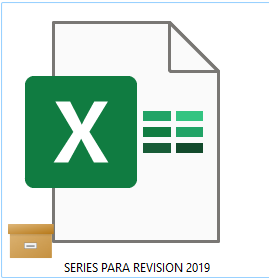
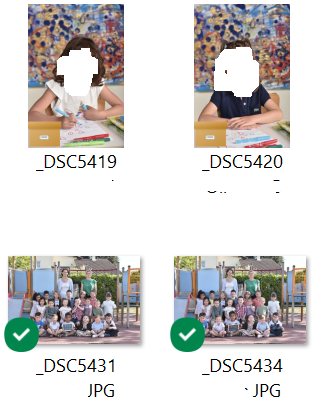
What is the brown box icon on the left bottom corner of my files when using the desktop app?
Hello, On several files, I have a brown icons in left bottom corner of my files.(see below) in fact, in the same folder, there are green logos on fils but sometime there are brown logo I want import this files in Lightroom but seem that files with brown logo can't be import. So : 1/ What mean brown logo ? 2/ How can I "fix" it to import files in lightroom ? Thank youSolved27KViews0likes21Comments
Very slow opening files and folder
Hi everyone, I'm using Dropbox (firmware n. 166.3.2831) on my gaming laptop running Windows 11. Everything run smoothly until some days ago, when Dropbox suddenly became very slow when clicking to open folder or file: it takes MANY seconds (10-15 seconds at least). This causes a huge slowdown in the user experience, I can't even work in these circumstances. Of course this is a problem related to the Dropbox folder only, local folders run as smooth as they should. How can I fix that? Thanks. EDIT: apparently there's a conflict between Dropbox and iCloud for Windows; deleting the latter, Dropbox app works.Solved11KViews5likes19CommentsDropbox killing internet connection
I moved my PC onto a new network. Dropbox was killing my internet connection so I played with limiting the upload download speeds and it seemed to work fine. Now after a win10 update it refuses to work without killing my network connection. I've tried resetting network settings, reinstalling Dropbox, updating network drivers. I kinda need this to work to do my job on Monday morning :'(Solved10KViews0likes17CommentsFiles stuck "downloading", PC not syncing, CPU overloading!
A couple of days ago I noticed that my Dropbox sync was "downloading 11 files" for a long time. I could not figure out which files (because there's apparently no direct way to do so) but I went looking for blue or red sync icons. I couldn't really find anything because the icons would not all appear; windows explorer kept hanging while displaying the icons. Today I noticed that nothing was syncing from this computer, and it was still stuck on "downloading 11 files". Exasperated, I removed a large mixed-state folder from local sync that I suspected was the problem. I ended up with "downloading 20 files" and still nothing syncing properly. (The folder I removed is still there, although Dropbox was very busy just after I removed it from local sync.) There's now a huge drag on my system as Dropbox monopolizes my CPU. I can't even see the sync icons any more because Windows Explorer hangs indefinitely if I go to any icon view. I've had to turn off Dropbox just to use my PC. I have: restarted Dropbox. Updated Dropbox to 91.4.548. Restarted my PC. I am on Windows 10. Thanks for any help!Solved9.9KViews1like15Comments
"File cannot be accessed by the system" error message on my Windows device.
I have a paid account from Dropbox Plus. When I attempt to access some files in Dropbox, I get the File Cannot be Accessed by the System error. This happens with all of my jpg and other photo files. I have been able to access all of these files in the past. It's only since I moved to Windows 11 that this has started. Any help is appreciatedSolved8.7KViews0likes8Comments