Your workflow is unique 👨💻 - tell us how you use Dropbox here.
windows
529 Topics
This application failed to start because it could not find the Qt platform plugin "windows" error?
Hi, My Dropbox is complaining! New PC, due to work, and now dropbox gives me this error message: This application failed to start because it could not find or load the Qt platform plugin "windows". It worked fine, problem came up, I reinstalled, same problem again after a restart and redone the reinstalled and getting same problem again: What to do? Thanks in advance for any help.Solved129KViews0likes6Comments
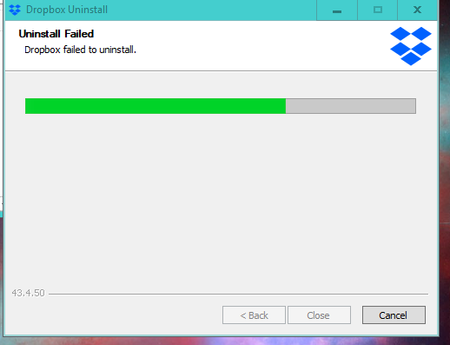
Failed to uninstall the Dropbox desktop app on my Windows 10.
Hello, not possible uninstall the programm - desktop version I have also disabled dropbox at starting to avoid any execution Not icon tray at starting In windows 10, in program (x86)/dropbox - there 3 different folder client. Thanks for your support D.Solved94KViews1like3CommentsMy Dropbox desktop app is stuck on "Connecting" on my Windows 7.
Dropbox won't connect on my pc with windows 7. I've re-installed, rebooted and tried: https://help.dropbox.com/desktop-web/configuring-firewall Most of the preferences buttons are disabled; selective sync, unlink dropbox (says it's not even linked to an account). Works fine online. I'm paying monthly for this service but it's not working.Solved85KViews4likes44Comments
No internet connection error - when there is internet?
The desktop app says "No internet connection - Your computer is currently offline. PLease check your nework settings." But my comuter is NOT offline and there is most definitely internet - I can access any website through Explorer and Firefox and ALL other web-based applications are running fine?Solved68KViews2likes11Comments
Dropbox does not appear on tray box, does not start at start up, does not sync files - Windows 7
I have the latest version of Dropbox 3.2.6. Its been about 3 days that dropbox wont work on one of my systems running Windows 7. It was working and syncing fine a few days ago. Now I try to check it in the task bar system tray and the icon is gone, not hidden. I check the windows start up services and dropbox is no where to be found. The task manager shows the process running but no change on memory usage for that application. I have tried uninstalling and installing and no change. In fact once its done installing it doesn't show me the steps that usually come after the installation is complete like choosing sync options, etc. I upgraded to pro user thinking that was gonna fix it but still no change. It is working fine on my laptop which has windows 8 but I need it to work on my desktop as well. I hope this gets resolved, I have been using this service for a couple of years but if this keeps on occurring I will be force to seek a better cloud storage service, and I dont want to do that. Thank you for your time and hope to hear back from someone from the support team. -SebastianSolved57KViews4likes49CommentsDoes dbxsvc.exe in Windows System32 folder actually belong to Dropbox program?
Hi, I'm running Dropbox on Windows 10 and everything is basically working fine. Some time ago I noticed a new service called "Dbxsvc" running on my computer. It runs from a file named dbxsvc.exe in my Windows System32 folder. Is this some kind of malware or some new part of the Dropbox program? I know there are two other dbxsvc.exe files on my computer. They are in: C:\Program Files (x86)\Dropbox\Client\driver_amd64\dbxsvc.exe C:\Program Files (x86)\Dropbox\Client\driver_x86\dbxsvc.exe They seems legitimate. But this third one in System32 is the one running the "Dbxsvc" service. I've managed to shut down and delete the service and then delete the file itself. Dropbox still works just fine. The thing is, this file reappears randomly. So should I leave it or be worried about it? No other strange behavior on my pc and Windows Defender doesn't seem to have a problem with this file. If anyone can help, thanks!Solved53KViews0likes26Comments
Truly stop Dropbox client from starting automatically on Windows 10.
This is happening to me on Windows 10 Pro 64-bit. When I first installed Dropbox 3.14.7 I thought it it was well-behaved, because it offered an option to disabled "Start Dropbox on system startup". But that doesn't work. I have certain drives that aren't mounted when the system starts. I have moved the Dropbox configuration files (via an NTFS symbolic link) to that drive, but I make sure that I mount the drive before starting the Dropbox desktop application. I have disabled "Start Dropbox on system startup". Yet still when I boot Windows 10, Dropbox throws up a dialog informing me that it has failed to start. *I had told it not to start automatically! Of course it will have a problem---I haven't mounted its settings drive yet. *But I told it not to start!* If Dropbox has a "Start Dropbox on system startup" option, it should honor that options. Don't control my system while pretending to give me options to disable the software. Please tell me how to *really* stop Dropbox from starting automatically, even the secret whatever-it-does-to muck-around-with-my-system, or I am removing the software from my computer. Thanks.Solved52KViews9likes21Comments
Cannot establish a secure connection after dropbox update to 111.4.472
After the dropbox app (Window 10) updates itself to the latest 111.4.472 version, I'm getting this 'Cannot establish a secure connection'. I've checked my time on my laptop, router. It's fine. I've disabled firewalls and the whole Eset Security. I've checked my ports. Everything is fine. I've turned off the proxy setting inside app. Scanned my system for viruses, nothing fount. The only solution is to revert back to the older version, but if I do so, the app will update itself so I'm at the beginning.Solved47KViews44likes440CommentsDropbox Icon missing Windows 10
I fired my laptop up a couple of days ago and I noticed that the dropbox icon in the taskbar was missing. I checked task manager and dropbox is running theres just no icon and if I kill the task and double click on the dropbox exe it loads the app but does not show the Icon so I am unable to check my settings or anything else. Oddly enough it is still working fine on my main desktop. I have completely uninstalled dropbox and reinstalled a couple of times but there is no change to my issue. Also, when I launch the installer, after it has downloaded the dropbox files via the installer it doesn't actually launch the install process to let me input my user account or link my files but if I check task manager it shows that dropbox.exe is running. I am somewhat confused, can anyone help? I have checked my AV and no issues there but I would assume if it was something to do with AV it would stop the app from being loadedSolved47KViews4likes55Comments