Your workflow is unique 👨💻 - tell us how you use Dropbox here.
Forum Discussion

GillW
5 years agoExplorer | Level 4
Corrupted Word Documents
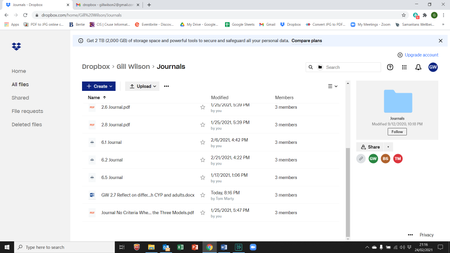
I am at my wit's end! I didn't realise that DropBox would corrupt files. I now have several Word documents in a folder that I need for my course work assessment which are no longer Word documents a...


andrepaixao
4 years agoNew member | Level 2
Hi Mark, hope you can help with a similar case. I had to temporarily downgrade my 2TB Dropbox subscription plan and moved all my Dropbox folders to a new one synced with a different and cheaper cloud service (Google Drive). After that, hundreds of, mostly pdf, files became corrupted. That is almost a tragedy for me and my company and i'm desperately looking forward to resolve this situation . Could anyone helm with that? Cheers
Here's a print of the message i got every time i try to open a pdf file

Megan Dropbox Community Moderator
4 years agoDropbox Community ModeratorHey andrepaixao, thanks for posting to our community!
Based on your info, it sounds like you have chosen to sync your files online-only, right?
Also, did you copy the Dropbox folders, or drag and drop them to their new path?
Let me know.
 holpolshuf1 year agoExplorer | Level 4
I have a similar problem. I have Word documents in Dropbox on my desktop that when I attempt to open them, I receive this message:
Word was unable to read this document. It may be corrupt. Try one or more of the following: Open and Repair the file. Open the file with the Text Recovery converter.
I can't figure out how to repair them. The same files on my phone in Dropbox are fine. Help, please!
- Megan1 year ago
Hey holpolshuf, let's jump right in!
If you try to use these steps, in order to download the files from your Dropbox account online to your device and then preview them there, do they preview like they normally would?
Also, what are the syncing icons that you see next to these files when you check them within your Dropbox folder?
Feel free to send any screenshots our way.
Keep me posted, and we'll take it from there!
- holpolshuf1 year agoExplorer | Level 4
When I download the file, the preview is fine and I am able to open and save it to my Dropbox folder on my desktop. The corrupted Word and PDF documents all have x's in the lower left hand corner of the document in the folder. Do I just need to download all of the corrupt documents again? And why did that happen in the first place?
About View, Download, and Export

Get support with viewing, downloading, and exporting files and folders from your Dropbox account.
The Dropbox Community team is active from Monday to Friday. We try to respond to you as soon as we can, usually within 2 hours.
If you need more help you can view your support options (expected response time for an email or ticket is 24 hours), or contact us on X, Facebook or Instagram.
For more info on available support options for your Dropbox plan, see this article.
If you found the answer to your question in this Community thread, please 'like' the post to say thanks and to let us know it was useful!


