Our Community is in read-only mode until April 8th, learn more here. You can still search existing threads or get help via Dropbox Support, the Dropbox Help Center, or Learn.
Forum Discussion

SignLeadersIT
6 months agoExplorer | Level 4
Dropbox mobile app won't show search results.
Devices IPads, Android smart boards, Dropbox Website Operating System/Browser (if using the web) IOS, IPAD OS, Android, Microsoft Edge Dropbox App Version/Browser Version Dropbox 440.2.2, IOS 18...

Megan Dropbox Community Moderator
6 months agoDropbox Community ModeratorHey SignLeadersIT, thanks for the info!
Give me some time to look into this, and I'll get back to you as soon as possible.
While we're investigating, would you mind clarifying if the behavior that you pointed out in your latest reply applies when searching for files, previewing or both? Thanks so much!

SignLeadersIT
6 months agoExplorer | Level 4
Searching for files only. Previewing is working fine for us :)
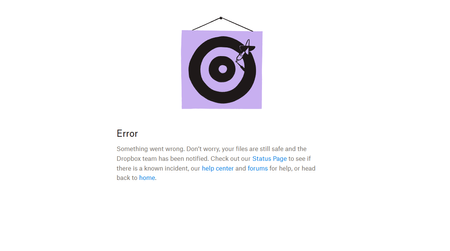
If it helps, the files that do not show up in search also will not pull up version history. There is just an error message that pops up like in the screenshot from my original post of the issue.
- Megan6 months ago
Hey SignLeadersIT!
You mentioned that this happens for many people in your company. Do you use a Business account? If so, do all of the members notice the same issue?
Now, in regards to the mobile app do you think you can clear the app's cache, and see if the behavior remains the same?
On iOS:
-Open the Dropbox iOS app.
-Tap the account icon (person) in the bottom right.
-Tap the gear icon in the top right.
-Scroll down and tap Clear cache.
-Tap Clear cache again.
On Android:
-Open the Dropbox Android app.
-Tap the menu icon in the top left.
-Select Settings.
-Select Clear cache.- SignLeadersIT6 months agoExplorer | Level 4
Yes we have 25 accounts on our dropbox business. As far as I can tell all of them are affected the same. Admin accounts and regular accounts both can not pull them up in search.
I have cleared the cache and tried it with IOS files integration on and off. Reinstalling the apps and switching accounts doesn't seem to help either.
- Megan6 months ago
Hey SignLeadersIT!
No worries, and thanks for trying anyway. I just reached out via email, in order for us to have a closer look into this.
Reply back to me, and we'll take it from there. Thanks!
About View, Download, and Export

Get support with viewing, downloading, and exporting files and folders from your Dropbox account.
The Dropbox Community team is active from Monday to Friday. We try to respond to you as soon as we can, usually within 2 hours.
If you need more help you can view your support options (expected response time for an email or ticket is 24 hours), or contact us on X, Facebook or Instagram.
For more info on available support options for your Dropbox plan, see this article.
If you found the answer to your question in this Community thread, please 'like' the post to say thanks and to let us know it was useful!


