Our Community is in read-only mode until April 8th, learn more here. You can still search existing threads or get help via Dropbox Support, the Dropbox Help Center, or Learn.
Forum Discussion

edsnails
7 years agoNew member | Level 2
iOS app won't show business folders
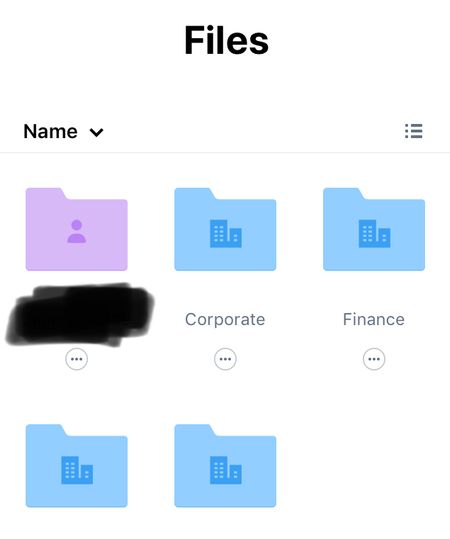
I've just upgraded from free accounts to Dropbox Business. My team had access to some shared folders and we use a 3rd party iPad app (Documents by Readdle) to sync the folders and display the conten...
- 7 years agoDo you have two separate accounts, one personal and one business, that you've linked together on the Dropbox website?
If so, and best guess... the third-party apps aren't able to handle linked accounts. The Dropbox iOS app can handle this situation. Third-party apps would need to be capable of that as well. I don't know if that's possible using the Dropbox API, which is what third-party apps use to communicate with Dropbox.
Your best bet will be to reach out to the developers of the app(s) that you're using, as only they can provide support for their app. Dropbox cannot support third-party applications.
One thought though, have you tried to log out of the third-party app and log back in using the email address used for your Dropbox Business account? - 7 years agoLooks like you’re on the new structure of a Dropbox Business team, which we have some information about here.As that’s the case, most likely Readdle hasn’t updated their app to take into consideration this, as they can’t apparently access team folders in the Dropbox Business team. Seeing as the icon they’re using for Dropbox is the old icon, it is possible that they haven’t updated it for some time.However, could you try updating the app on your device to see if that helps, if you’re instead running the older version somehow?Otherwise, we’d recommend getting in contact with them in order to resolve this matter, since they’re not viewing the Dropbox team folder.


_Nadine_
6 years agoNew member | Level 2
Hi, this is the workaround I finally found out about this issue: the official IOS documents/files app has access to all Dropbox Business account folders (unlike Spark or PDF Expert, which only have access to the personal folder) after getting connected. So if you want to add an attachment to an email from one of the team folders on dropbox, just go the detour via the files App – the same goes for saving attachments or edited pdfs :-)
About View, Download, and Export

Get support with viewing, downloading, and exporting files and folders from your Dropbox account.
The Dropbox Community team is active from Monday to Friday. We try to respond to you as soon as we can, usually within 2 hours.
If you need more help you can view your support options (expected response time for an email or ticket is 24 hours), or contact us on X, Facebook or Instagram.
For more info on available support options for your Dropbox plan, see this article.
If you found the answer to your question in this Community thread, please 'like' the post to say thanks and to let us know it was useful!


