Your workflow is unique 👨💻 - tell us how you use Dropbox here.
Forum Discussion

Andreas W.12
9 years agoNew member | Level 1
Mobile: Exporting: "Save to Camera Roll"-option not available
Hi!
I use dropbox to sync up my files from my computer to my mobile devices (iphone and iPad). When I tried this morning to save my files to my phone, I discovered that the "Export"-button was miss...
- 9 years ago
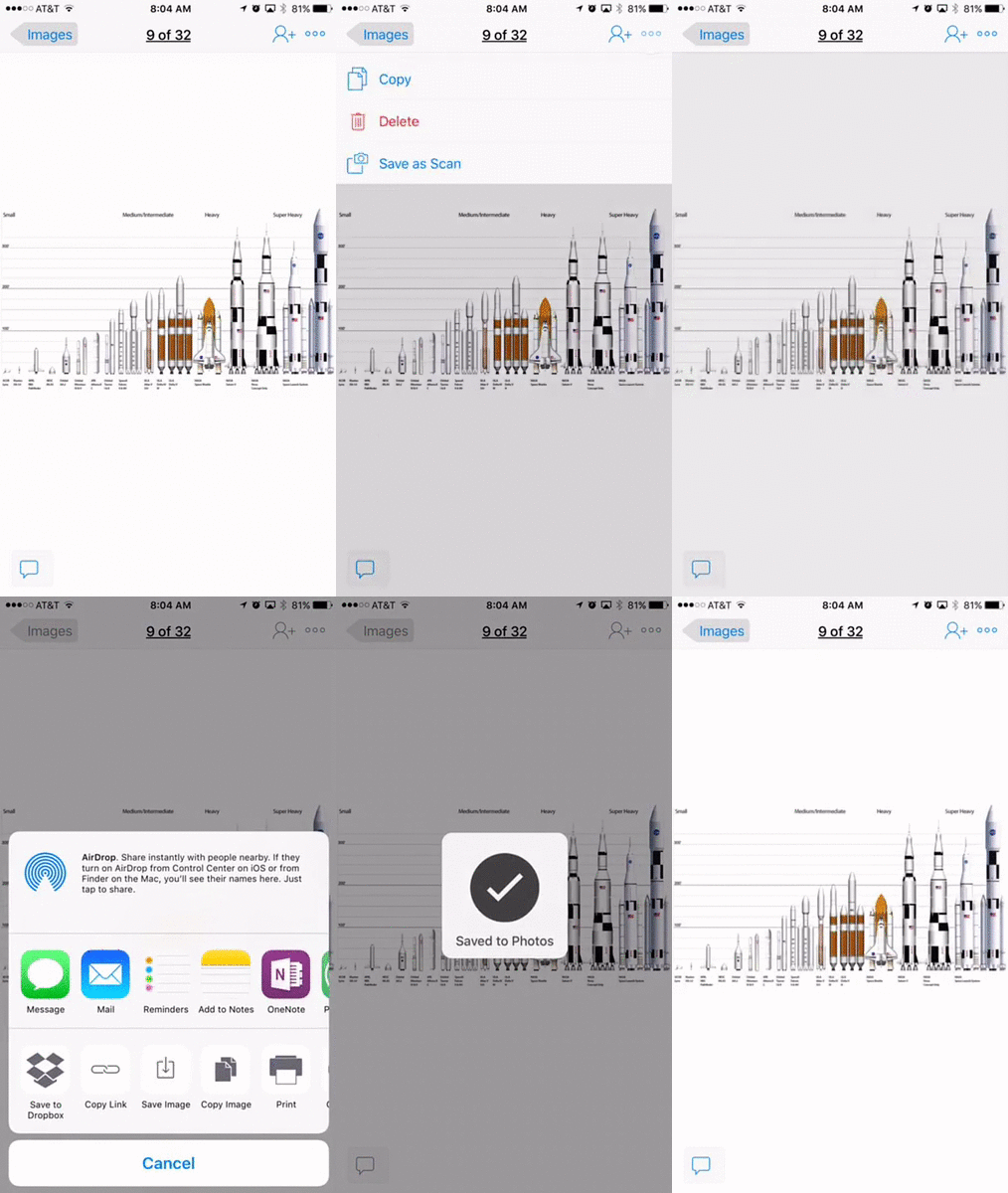
Tap the three dots in the upper right corner of the screen. Tap Share via... and then Save Image.


Zed Dropbox Staff
8 years agoDropbox StaffHi everyone themaestro023 Ira Z. Marcus O. rAY b.9,
The easiest way to export a file to your external SD card using Dropbox on your mobile device is by following these steps:
- Tap the Quick Action button to the right of the filename
- Scroll down and tap “Export”
- Tap “Save to device”
- Select your external SD card*
* If you do not see your external SD card listed, while you are in the “Save to” menu (after tapping “Save to device”), tap “Menu” then “Settings” and then select “Display advanced devices”. You will then see your external SD card show up as an export location.
**Make sure to have the latest version of the app installed!**
Thank you!

themaestro023
8 years agoExplorer | Level 4
Thanks for that but it doesn't work for the S7 edge running Nougat. After 'Save to' there are no other menu options. I had already tried your solution but the pic went missing on my phone so I decided to do it my alternative way where I could actually choose exactly where to place the pics.
The app cannot be updated through the Dropbox app (starts an endless loop) and has to be done through Google Play.
The app cannot be updated through the Dropbox app (starts an endless loop) and has to be done through Google Play.
- Ed8 years ago
Hi there - would you mind opening a support ticket with us here: https://www.dropbox.com/support so I can pass it on to our specialists to look into this?
Thanks- themaestro0238 years agoExplorer | Level 4Sent a support ticket today, hope you got it ok
 venik2128 years agoExplorer | Level 3
I have the same issue with my Samsung Note 4 (Android 6.0.1) from T Mobile. There is no EXPORT option or SAVE TO DEVICE-- only MOVE option, which only allows moving to annothher Dropbox folder. Being unable to perform such a trivial operation is a major embarassment for Android and Dropbox. It makes Dropbox on Android almost useless for me.

About View, Download, and Export

Get support with viewing, downloading, and exporting files and folders from your Dropbox account.
The Dropbox Community team is active from Monday to Friday. We try to respond to you as soon as we can, usually within 2 hours.
If you need more help you can view your support options (expected response time for an email or ticket is 24 hours), or contact us on X, Facebook or Instagram.
For more info on available support options for your Dropbox plan, see this article.
If you found the answer to your question in this Community thread, please 'like' the post to say thanks and to let us know it was useful!