Need to see if your shared folder is taking up space on your dropbox 👨💻? Find out how to check here.
Forum Discussion

Cobra1968
3 years agoNew member | Level 2
Pictures seem to be lost after setting "just online"
I wanted to make sure that my pictures are just available in the Cloud to have more free disk space on my Macbook. I set the setting for my pictures to "just online". Now, I can't open my pictures. ...
- 3 years ago
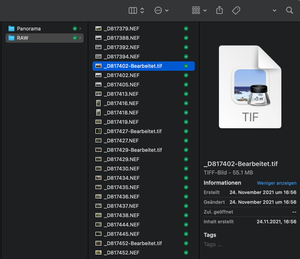
For the ones that are ending .icloud they havent been uploaded correctly.
For whatever reason it looks like you dragged over from a folder that was sync'd to iCloud and put it in to Dropbox without downloading them first. Therefore it has only uploaded placeholders for them. To get the actual files you need to download the full file from iCloud first and THEN upload that to Dropbox - there isnt a way to move between the two.

Mark Super User II
3 years agoSuper User IIFor the ones that are ending .icloud they havent been uploaded correctly.
For whatever reason it looks like you dragged over from a folder that was sync'd to iCloud and put it in to Dropbox without downloading them first. Therefore it has only uploaded placeholders for them. To get the actual files you need to download the full file from iCloud first and THEN upload that to Dropbox - there isnt a way to move between the two.
About View, download, and export

Need support with viewing, downloading, and exporting files and folders from your Dropbox account? Find help from the Dropbox Community.
The Dropbox Community team is active from Monday to Friday. We try to respond to you as soon as we can, usually within 2 hours.
If you need more help you can view your support options (expected response time for an email or ticket is 24 hours), or contact us on X, Facebook or Instagram.
For more info on available support options for your Dropbox plan, see this article.
If you found the answer to your question in this Community thread, please 'like' the post to say thanks and to let us know it was useful!


