Your workflow is unique 👨💻 - tell us how you use Dropbox here.
Forum Discussion

Nick K.19
2 years agoExplorer | Level 4
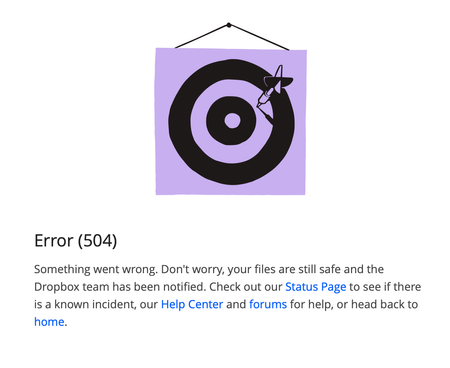
Error (504) when trying to restore a file
I have tried different browsers and incognito mode. Any other suggestions? I can navigate the rest of Dropbox's site just fine, this only happens when I try to restore a file to a previous ...

Megan Dropbox Community Moderator
2 years agoDropbox Community ModeratorHey Nick K.19, I'd be happy to look into this with you!
Does this happen with a specific file or all of them?
Also, if you try to restore a file using your deleted files page, do you get the same results?
Let me know more, and we'll take it from there!
 Nick K.192 years agoExplorer | Level 4
I'm not trying to restore a deleted file, I am trying to go to a previous version of a file (which apparently dropbox also calls "restore"). It's not specific to the file, I've tried a few more and the same thing happens.
- Nick K.192 years agoExplorer | Level 4
Addendum: Restoring actual deleted files also doesn't work, but I don't get an error. The page takes a while telling me "restoring files" then it appears to be done successfully (the file I'm trying to restore gets removed from the deleted files), but there are no files actually restored.
If I refresh the page, the file I restored is in the deleted files list again.
 MaximilienLC2 years agoExplorer | Level 3
Hi, I'm getting a similar issue where I am unable to restore any file. On the website I press restore, it stalls and then closes. The file doesn't come back to my files but instead when I press refresh it it once again in the deleted files. I tried using incognito and even asked another Dropbox user to perform the same operation which led to the same outcome as mine.
- MaximilienLC2 years agoExplorer | Level 3Tried incognito, even asked a fellow Dropbox user to attempt restoring files from the webpage but they weren't able to. We press restore, it stalls then the restoring loading bar disappears. The file doesn't get restored and refreshing the deleted files page brings back the deleted files. Any possible issue with the servers?
About Delete, Edit, and Organize
Solve issues with deleting, editing, and organizing files and folders in your Dropbox account.
The Dropbox Community team is active from Monday to Friday. We try to respond to you as soon as we can, usually within 2 hours.
If you need more help you can view your support options (expected response time for an email or ticket is 24 hours), or contact us on X, Facebook or Instagram.
For more info on available support options for your Dropbox plan, see this article.
If you found the answer to your question in this Community thread, please 'like' the post to say thanks and to let us know it was useful!


