Your workflow is unique 👨💻 - tell us how you use Dropbox here.
Forum Discussion

d k
4 years agoExplorer | Level 4
error uploading images to drobox paper
dropbox-paper is very helpful for me!
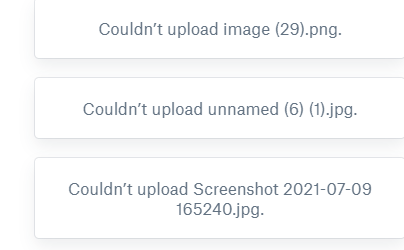
but now its making problems', its not uploading true images.
here is a screen shot:
- 4 years agoIt's possible that this could be the cause of what you're experiencing.
Unless you get access to a stable WiFi connection, I'd recommend uploading to your Dropbox account directly and then adding the files to your Paper doc from there.


Stefanwork
3 years agoExplorer | Level 4
I am WFH and have only my home wi-fi network. When I next go into the office, I'll try the network there and report back. That may take at least a week. By the way, I was able to insert images into Dropbox Paper from home last week. I updated a particular page with images. However, as of today, I am unable to do so. The only difference between last week's work and today is that, after my work week ended, I updated macOS to 12.5.1. Perhaps that is a clue.
Stefanwork
3 years agoExplorer | Level 4
Walter, a coworker informs me he cannot upload images either. He gets the same error message. He works from home too. Like I, he was able to do this "just the other day."
His macOS: 12.2.1.
- Stefanwork3 years agoExplorer | Level 4
Walter, what is your experience trying this? 😉
That is, is it systemwide or something...
 waynecrasta3 years agoExplorer | Level 4
Adding new images to my Dropbox Paper doesn't preview the images for me anymore.
It's saying "Couldn't load Preview" Magill31793 years agoNew member | Level 2
That's what happens with me. The image shows up for about three seconds and then I get a message saying "Couldn't load preview".
About Delete, Edit, and Organize
Solve issues with deleting, editing, and organizing files and folders in your Dropbox account.
The Dropbox Community team is active from Monday to Friday. We try to respond to you as soon as we can, usually within 2 hours.
If you need more help you can view your support options (expected response time for an email or ticket is 24 hours), or contact us on X, Facebook or Instagram.
For more info on available support options for your Dropbox plan, see this article.
If you found the answer to your question in this Community thread, please 'like' the post to say thanks and to let us know it was useful!


