We’re Still Here to Help (Even Over the Holidays!) - find out more here.
Forum Discussion

HoppiGaloppi
2 years agoExplorer | Level 4
Apple Mail no longer shows previews of shared links
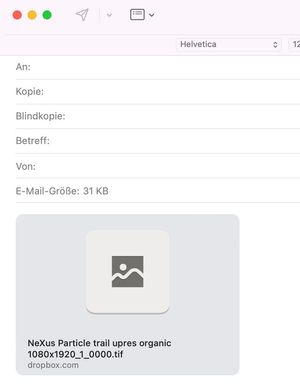
For years I was able to see a small preview of the link when sending files via the "share" context menu and then pasting them into Apple Mail. This preview has disappeared for a few days n...

Jay Dropbox Community Moderator
2 years agoDropbox Community ModeratorHi @HoppiGaloppi, thanks for bringing this to our attention.
As far as I'm aware, there haven't been any changes to how shared links are affected or previewed in emails, so it's possible this might be a setting in Apple Mail, or a recent change there.
I'll leave this thread open for other users to contribute their suggestions.

HoppiGaloppi
2 years agoExplorer | Level 4
This phenomenon has been occurring for 6 months now, more or less, and then the next day it worked again. What kind of setting could it be that is influencing this thumbnail behavior? I was hoping that you would know more about it, as it directly affects the collaboration with Dropbox, and why it simply no longer works at all.
- Jay2 years ago
There isn't much we can troubleshoot on this matter, as it depends on how the preview appears in Apple Mail.
One possibility could be the type of file, or the file size, that could affect previews in another app.
About Create, upload, and share
Find help to solve issues with creating, uploading, and sharing files and folders in Dropbox. Get support and advice from the Dropbox Community.
The Dropbox Community team is active from Monday to Friday. We try to respond to you as soon as we can, usually within 2 hours.
If you need more help you can view your support options (expected response time for an email or ticket is 24 hours), or contact us on X, Facebook or Instagram.
For more info on available support options for your Dropbox plan, see this article.
If you found the answer to your question in this Community thread, please 'like' the post to say thanks and to let us know it was useful!


