Your workflow is unique 👨💻 - tell us how you use Dropbox here.
Forum Discussion

Ech0M4n
2 years agoExplorer | Level 3
Camera upload failing
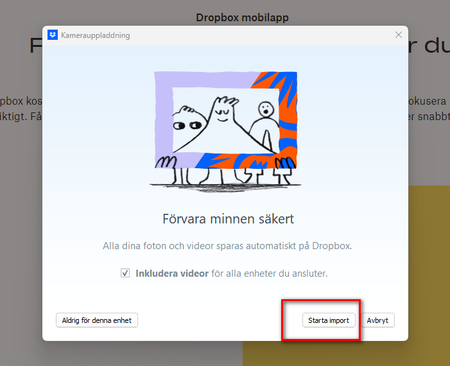
New PC, Windows with Swedish language (my old PC had English OS). Cable-connecting my Anroid/Samsung Galaxy S9 to the PC. I get the Dropbox "splash screen" and choose to Start Import. Then I get an ...

Ech0M4n
2 years agoExplorer | Level 3
Thanks for getting in touch! 🙂
Seems i had no less than three apps trying to do the same thing... 🙂
- OneDrive (Microsoft) - now disabled on PC and Gallery app on phone is now set to not Sync with OneDrive.
- PhoneLink (Microsoft) - now I have removed my phone from the list of devices on the PC App. Can't see how to disable the process itself.
(-Samsung Cloud ?)
- Dropbox - unfortunately the same error after disabling the two above and restarting my PC. The only difference now is that no new photos at all are imported to my Camera Uploads folder.
Not sure if this is new and/or expected behaviour, but Dropbox starts a whole lot of processes on my machine, Screen capture right after restart, and trying (and failing) to sync.
Let me know if there is something more I can do to help solving the issue. 🙂
Edit : I also just realized I am not Admin on my PC, I'll have a look at that in a bit. 🙂

Jay Dropbox Community Moderator
2 years agoDropbox Community ModeratorCould you try using a different cable or USB port on your computer to see if this helps?
Regarding the processes when starting up, this normal for the Dropbox app.
- Ech0M4n2 years agoExplorer | Level 3
I have tried different cables, and 3 different USB 3 ports, same error message.
About Create, Upload, and Share
Find help to solve issues with creating, uploading, and sharing files and folders with Dropbox.
The Dropbox Community team is active from Monday to Friday. We try to respond to you as soon as we can, usually within 2 hours.
If you need more help you can view your support options (expected response time for an email or ticket is 24 hours), or contact us on X, Facebook or Instagram.
For more info on available support options for your Dropbox plan, see this article.
If you found the answer to your question in this Community thread, please 'like' the post to say thanks and to let us know it was useful!


