Your workflow is unique 👨💻 - tell us how you use Dropbox here.
Forum Discussion

Alistair Appleton
2 years agoExplorer | Level 4
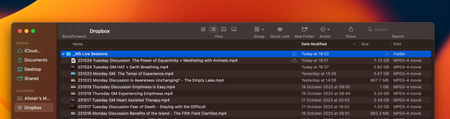
Desktop file on Mac not syncing with Dropbox.com. Shows "Waiting to sync"
I have a Mac Powerbook with Ventura on it. And since a recent Dropbox update which placed the Dropbox folder in a different place on the Finder, I have been having erratic problems with files not syc...

Alistair Appleton
2 years agoExplorer | Level 4
Hi there Walter,
There are not issues reported when I click on my profile when the issue is happening.
But I was not able to locate a hidden file when I followed your instructions on my mac. Is there another way of finding the .cache file?

Walter Dropbox Community Moderator
2 years agoDropbox Community ModeratorDid you enable hidden files to show on your computer before searching for the cache folder Alistair Appleton?
If you did and still can't find it, it means that you're probably on the Mac File Provider version of the app since the Dropbox cache folder doesn't appear on that version.
Have you tried fixing your hardlinks and permissions as outlined here perhaps?
About Create, upload, and share
Find help to solve issues with creating, uploading, and sharing files and folders in Dropbox. Get support and advice from the Dropbox Community.
The Dropbox Community team is active from Monday to Friday. We try to respond to you as soon as we can, usually within 2 hours.
If you need more help you can view your support options (expected response time for an email or ticket is 24 hours), or contact us on X, Facebook or Instagram.
For more info on available support options for your Dropbox plan, see this article.
If you found the answer to your question in this Community thread, please 'like' the post to say thanks and to let us know it was useful!


