Your workflow is unique 👨💻 - tell us how you use Dropbox here.
Forum Discussion

bobv
5 years agoExplorer | Level 4
Dropbox and Parallels
My Mac (iOS 10.12.6) is running Parallels (v15.1.4) so I have a Virtual Machine of Windows 10 Home.
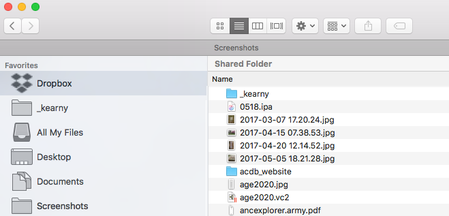
I have Dropbox installed and it shows like this on my Mac: but it shows on the PC side...

Walter Dropbox Community Moderator
5 years agoDropbox Community ModeratorIf you're on the Windows side, try 'Alt+H', Bob.
Otherwise, send us a screenshot of what you see in order for us to have a visual as well.

bobv
5 years agoExplorer | Level 4
See screenshot of the Mac side above.
Alt-H brings up the options on the PC side, thanks. But "Fix permissions" runs C:\WINDOWS\SYSTEM32\icacls.exe which opens a blank DOS window and it doesn't go away. At least, not after several minutes. Hmmm....but when I forced that window closed, it said that permissions were fixed. But the Mac side says that it is still syncing the same number of files.
Thanks for your help.
About Create, Upload, and Share
Find help to solve issues with creating, uploading, and sharing files and folders with Dropbox.
The Dropbox Community team is active from Monday to Friday. We try to respond to you as soon as we can, usually within 2 hours.
If you need more help you can view your support options (expected response time for an email or ticket is 24 hours), or contact us on X, Facebook or Instagram.
For more info on available support options for your Dropbox plan, see this article.
If you found the answer to your question in this Community thread, please 'like' the post to say thanks and to let us know it was useful!


