Your workflow is unique 👨💻 - tell us how you use Dropbox here.
Forum Discussion

Ben Parish
1 year agoNew member | Level 2
Dropbox naming rules won't allow me to sync certain files on Mac OS
I can upload my files online, but due to - (dashes) or spaces in my personal naming convention, they wont sync with the desktop app?
Now I am not about to go through and rename 100000s of files, th...

Jay Dropbox Community Moderator
1 year agoDropbox Community ModeratorHi Ben Parish, thanks for bringing this to our attention.
The space or dash symbols aren't considered to be incompatible for most OSes.
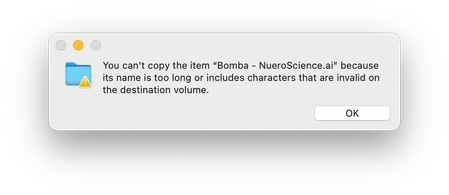
That error message doesn't appear to be related to Dropbox either, as it is a Mac OS specific window, so could you clarify why you believe Dropbox to be the case? More information on how you were moving or copying the file would be great.
This will help me to assist further!
About Create, Upload, and Share
Find help to solve issues with creating, uploading, and sharing files and folders with Dropbox.
The Dropbox Community team is active from Monday to Friday. We try to respond to you as soon as we can, usually within 2 hours.
If you need more help you can view your support options (expected response time for an email or ticket is 24 hours), or contact us on X, Facebook or Instagram.
For more info on available support options for your Dropbox plan, see this article.
If you found the answer to your question in this Community thread, please 'like' the post to say thanks and to let us know it was useful!


