Your workflow is unique 👨💻 - tell us how you use Dropbox here.
Forum Discussion

Raul64
2 hours agoExplorer | Level 3
My files are not uploading to the cloud
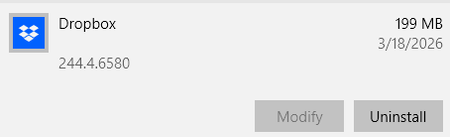
HP desktop Operating System/Browser (if using the web) Windows 10 Dropbox App Version (if using the app) 244.4.6580 auto updated on 3-18-2026 Syncing Status "Syncing 7 files" Qu...

Jay Dropbox Community Moderator
1 hour agoDropbox Community ModeratorHi Raul64, thanks for bringing this to our attention.
Could you try quitting the Dropbox desktop application, and then delete the entire Dropbox cache folder?
Afterwards, reboot the machine and allow the Dropbox desktop application to start to sync again to see if you get the same behavior.
Keep me updated with any progress.
 Raul641 hour agoExplorer | Level 3
Thank you Jay, I followed your advise and deleted the folder, when I rebooted the computer the same folder was I guess created again and shows exactly as it was and now wont even sync the files that are been shared by my colleagues... see images below for:
The folder this is what I get now:
and when I open the folder:
and this is the status of Dropbox:
As you can see only the pictures are been added without a problem. Any other suggestions? I'm desperate here...
About Create, Upload, and Share
Find help to solve issues with creating, uploading, and sharing files and folders with Dropbox.
The Dropbox Community team is active from Monday to Friday. We try to respond to you as soon as we can, usually within 2 hours.
If you need more help you can view your support options (expected response time for an email or ticket is 24 hours), or contact us on X, Facebook or Instagram.
For more info on available support options for your Dropbox plan, see this article.
If you found the answer to your question in this Community thread, please 'like' the post to say thanks and to let us know it was useful!


