Your workflow is unique 👨💻 - tell us how you use Dropbox here.
Forum Discussion

HaniN
2 years agoExplorer | Level 4
Recently added files and folders are not showing on other users computers.
Hi,
I'm sharing dropbox with my work colleagues. Dropbox is in the network folder and is being shared on the work network. We're all on Windows 11. Everything has been working fine until recent...

Megan Dropbox Community Moderator
2 years agoDropbox Community ModeratorHi HaniN, welcome to our Community!
Let's jump right into this! As a first thing, can you clarify if you're using one Dropbox account, that you're sharing between devices, or if you have two separate ones, and you share content between them?
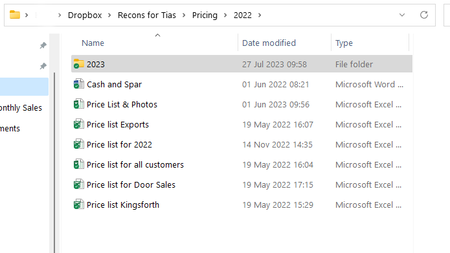
Based on the screenshots it seems you're using the same account, I just want to confirm, and double check.
Also, it seems that on your colleague's computer there are no syncing icons next to the files in Dropbox. Are we sure the app is up and running? Can you clarify the app's current syncing status, and version at the moment?
Keep me posted!

HaniN
2 years agoExplorer | Level 4
Hi Megan,
Thanks for responding to my msg.
We are using 1 account (mine) and sharing dropbox files over a private network. When I click the Dropbox icon on my computer it shows a grey box and a msg "Dropbox 179.4.4917 Up to date". Syncing is on and says "no issues".
I have discovered something new: If go to file manager on my PC and access my Dropbox through this path: C:\***\Dropbox.... then we don't see the updates and files as I mentioned in my first message. HOWEVER, if I access Dropbox through this path: C:\Network\***\Users\PUBLIC\Dropbox... then I see all the files and folders we're looking for! It seems we have to access Dropbox through the Public folder to avoid the problems we were having. Not sure if you have something to add to this. Should I move dropbox to the PUBLIC folder on my PC?

About Create, Upload, and Share
Find help to solve issues with creating, uploading, and sharing files and folders with Dropbox.
The Dropbox Community team is active from Monday to Friday. We try to respond to you as soon as we can, usually within 2 hours.
If you need more help you can view your support options (expected response time for an email or ticket is 24 hours), or contact us on X, Facebook or Instagram.
For more info on available support options for your Dropbox plan, see this article.
If you found the answer to your question in this Community thread, please 'like' the post to say thanks and to let us know it was useful!


