Our Community is in read-only mode until April 8th, learn more here. You can still search existing threads or get help via Dropbox Support, the Dropbox Help Center, or Learn.
Forum Discussion

i3dsolutions
4 years agoExplorer | Level 4
Revit sync notification on desktop app
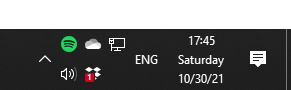
Hello everyone, I am working on Windows 10, current update, starting this week Dropbox sends me a (red) notification on the tray icon every time I save a Revit file, it says "couldn't sync files". ...

Jay Dropbox Community Moderator
4 years agoDropbox Community ModeratorThanks for alerting us to this problem. Dropbox engineers are aware of the behavior and are working on a solution.

STC-Joe
4 years agoExplorer | Level 4
Have had the same problems for 2-3 weeks now, but the appearance of the "Couldn't sync..." is very inconsistent. I've never noticed it when a simple data file is saved. A possible clue for engineers: It seems to happen most frequently when I use a portable Chrome browser stored in the Dropbox folder. Could portable app be running scripts or whatever which would temporarily disrupt sync by creating temp files?
Also, depending on their configuration, other apps such as OneNote create temp files or frequent auto-saves to databases that might create sync disruptions that "magically" disappear when the app closes and any locks on files are lifted?
About Create, Upload, and Share
Find help to solve issues with creating, uploading, and sharing files and folders with Dropbox.
The Dropbox Community team is active from Monday to Friday. We try to respond to you as soon as we can, usually within 2 hours.
If you need more help you can view your support options (expected response time for an email or ticket is 24 hours), or contact us on X, Facebook or Instagram.
For more info on available support options for your Dropbox plan, see this article.
If you found the answer to your question in this Community thread, please 'like' the post to say thanks and to let us know it was useful!


