Your workflow is unique 👨💻 - tell us how you use Dropbox here.
Forum Discussion

langzi
2 years agoExplorer | Level 4
sync issues - restart will solve but any other way?
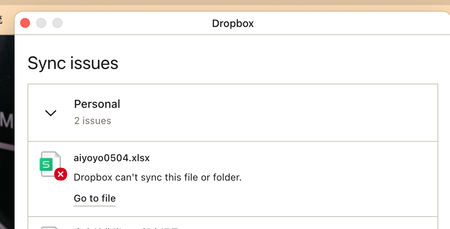
I have issues with sync, but if I restart my macbook, all the files will be synced. How should I solve this problem without restarting my macbook many times a day?

Megan Dropbox Community Moderator
2 years agoDropbox Community ModeratorHey langzi, just to clarify: does the file sync from the desktop app to the web, yet it gives you an error or it doesn't sync at all, until you restart the app?

langzi
2 years agoExplorer | Level 4
Yes, I installed dropbox desktop app, I opened and edited the files using WPS app on my laptop, but when I saved the file, it told me sync error.
I checked the file on the dropbox webpage, not updated to cloud.
Restarting the dropbox wouldn't help, only restarting the laptop solved the issue.
BTW, the files that have issues are in the shared folders.
I am using iMac, two windows laptops and macbook, it only happens to my macbook.
Thank you for your help.

About Create, Upload, and Share
Find help to solve issues with creating, uploading, and sharing files and folders with Dropbox.
The Dropbox Community team is active from Monday to Friday. We try to respond to you as soon as we can, usually within 2 hours.
If you need more help you can view your support options (expected response time for an email or ticket is 24 hours), or contact us on X, Facebook or Instagram.
For more info on available support options for your Dropbox plan, see this article.
If you found the answer to your question in this Community thread, please 'like' the post to say thanks and to let us know it was useful!


