Your workflow is unique 👨💻 - tell us how you use Dropbox here.
Forum Discussion

razorflash
2 years agoHelpful | Level 6
Sync issues with Mac OS X folder migrate
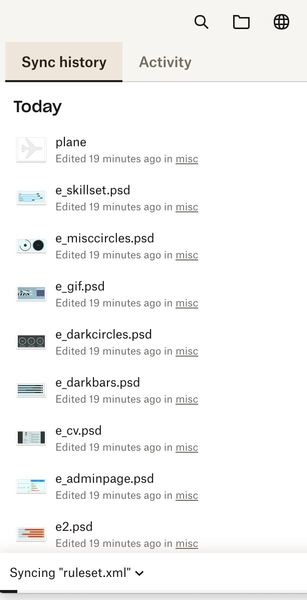
After I migrated to the Mac OS X Library/Cloud Storage I am having continous sync problems
I don't like the online files mode, I just want the folders I select to be always available offline. But f...

Walter Dropbox Community Moderator
2 years agoDropbox Community ModeratorHi there razorflash, sorry to hear about your syncing issues.
Could you clarify if the desktop app is stuck at the same file or if it's syncing or giving you different errors in your menu bar? Also, what is the app's version?
As for the new desktop app for MacOs on File Provider, you can have a look here.
If you have contacted our support team about this issue since you first noticed this, please let us know your ticket ID as well.
Any additional information is more than welcome!

razorflash
2 years agoHelpful | Level 6
It just said syncing for weeks on Ventura 13.0 - stuck
After upgrade to Sonoma 14.0 seems to have fixed it
About Create, Upload, and Share
Find help to solve issues with creating, uploading, and sharing files and folders with Dropbox.
The Dropbox Community team is active from Monday to Friday. We try to respond to you as soon as we can, usually within 2 hours.
If you need more help you can view your support options (expected response time for an email or ticket is 24 hours), or contact us on X, Facebook or Instagram.
For more info on available support options for your Dropbox plan, see this article.
If you found the answer to your question in this Community thread, please 'like' the post to say thanks and to let us know it was useful!


