We’re Still Here to Help (Even Over the Holidays!) - find out more here.
Forum Discussion

bradimperialmetric
8 months agoNew member | Level 2
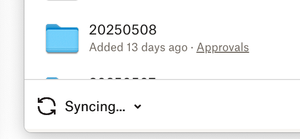
The app on my new MacBook will sync for 30 seconds, and then gets stuck.
I've installed DropBox desktop on a new MacBook Pro with no firewall installed
It will sync for 30 seconds, then get stuck on the Syncing... screen
when i pause and resume syncing it syncs f...

Walter Dropbox Community Moderator
8 months agoDropbox Community ModeratorHi there bradimperialmetric - sorry to hear about your syncing issue.
Can you please let me know the apps version as well as shown when you hover your mouse over the Dropbox icon in your menu bar? Also, what is your computer's exact OS version? Did you try rebooting your computer or quitting and relaunching the app at all?
Any additional information is more than welcome!

bradimperialmetric
8 months agoNew member | Level 2
Hi Walter
thanks for your reply
i am using app version 224.4.4811
i am using MacOS Sequoia 15.5
i rebooted the computer when i updated the OS. i also tried restarting the app
thanks
b
- Walter8 months ago
I see, thanks for the additional information bradimperialmetric - much appreciated.
Can you also clarify, approximately, how many files you're trying to sync in your Dropbox folder?
Apart from that, please take a look at the app's preferences and let me know the location of your Dropbox folder too.
- bradimperialmetric8 months agoNew member | Level 2
Hi Walter
i'm trying to download my existing dropbox folder, so it's several files. i've already selected which folders to sync. it seems to stop sync after each file downloads
here is the location of the Dropbox folder
- Walter8 months ago
Does it persist even if you select only one folder to sync locally on your computer as well, Brad?
About Create, upload, and share
Find help to solve issues with creating, uploading, and sharing files and folders in Dropbox. Get support and advice from the Dropbox Community.
The Dropbox Community team is active from Monday to Friday. We try to respond to you as soon as we can, usually within 2 hours.
If you need more help you can view your support options (expected response time for an email or ticket is 24 hours), or contact us on X, Facebook or Instagram.
For more info on available support options for your Dropbox plan, see this article.
If you found the answer to your question in this Community thread, please 'like' the post to say thanks and to let us know it was useful!


