Your workflow is unique 👨💻 - tell us how you use Dropbox here.
Forum Discussion

dbushn2
2 years agoExplorer | Level 3
Unknown name appears in the sharing options
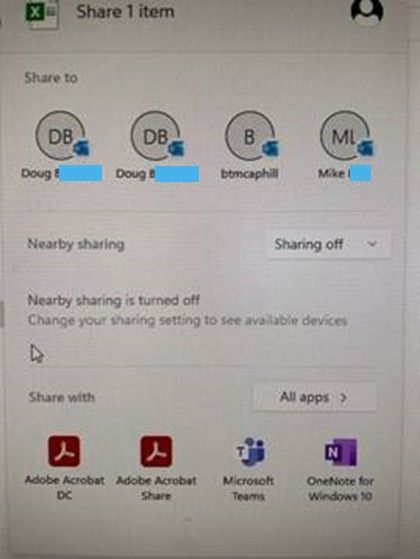
When I click on the dropbox icon from the tray, go to any document there, right click on it and select share. I get the following screen shots.
The lower screen shot shows options to share the doc...

Hannah Dropbox Community Moderator
2 years agoDropbox Community ModeratorHey dbushn2, thanks for reaching out to the Dropbox Community.
These look like suggestions of people you can share your files with.
Perhaps it was an old colleague/client that shared some files with you in the past?
If you click on 'clear' next to your manually added contacts on this page, does it help?
Keep me posted.
 dbushn22 years agoExplorer | Level 3
There a re no names in the Manuallt added section.
Doug
About Create, Upload, and Share
Find help to solve issues with creating, uploading, and sharing files and folders with Dropbox.
The Dropbox Community team is active from Monday to Friday. We try to respond to you as soon as we can, usually within 2 hours.
If you need more help you can view your support options (expected response time for an email or ticket is 24 hours), or contact us on X, Facebook or Instagram.
For more info on available support options for your Dropbox plan, see this article.
If you found the answer to your question in this Community thread, please 'like' the post to say thanks and to let us know it was useful!


