We’re Still Here to Help (Even Over the Holidays!) - find out more here.
Forum Discussion

jeffb222
6 months agoNew member | Level 2
Updated the Dropbox app, folder hierarchy got ruined and got Selective Sync conflicts
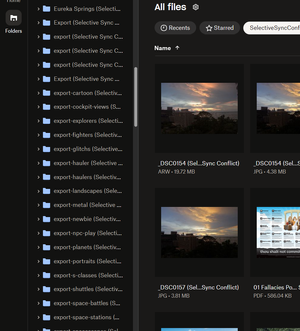
I was prompted to update DropBox, so I did. Now, I have folder and files with Selective Sync Conflict everywhere, and my folder hierarchy is basically gone. The sub-folders with Selective Sync Confli...

Mark Super User II
6 months agoSuper User IIjeffb222 wrote:It looks like all the folders that now contain "Selective Sync Conflict" in their filenames are actually new duplicates of existing folders that are not renamed. It looks like those files are still in their original folders. I'll need to verify this, but I may be able to delete all of those.
Thats exactly how it works :)
So when Dropbox works out that a file it thinks shouldnt have been on the device yet is (i.e. there is a selective sync conflict) it creates duplicates of the other folders to make sure there is no data loss. Therefore you may find that the files are identical in both.
About Create, upload, and share
Find help to solve issues with creating, uploading, and sharing files and folders in Dropbox. Get support and advice from the Dropbox Community.
The Dropbox Community team is active from Monday to Friday. We try to respond to you as soon as we can, usually within 2 hours.
If you need more help you can view your support options (expected response time for an email or ticket is 24 hours), or contact us on X, Facebook or Instagram.
For more info on available support options for your Dropbox plan, see this article.
If you found the answer to your question in this Community thread, please 'like' the post to say thanks and to let us know it was useful!


