Your workflow is unique 👨💻 - tell us how you use Dropbox here.
Forum Discussion

ar1zona1
2 years agoHelpful | Level 5
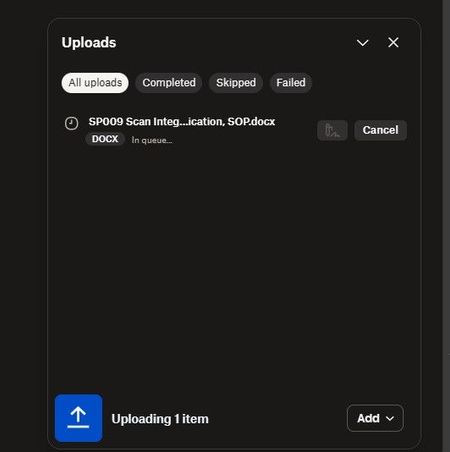
Upload from external drive to web account stuck in queue
I'm trying to upload a large amount of files directly from an external drive thru a web browser. I have tried both Edge and Chrome and both are acting the same.
It just sits there stating the ...

Nancy Dropbox Community Moderator
2 years agoDropbox Community ModeratorThanks for posting about this on the Community, ar1zona1!
Can you clarify what’s the total size of files you’re uploading at once via the Dropbox website?
As for your desktop app, have you set the default for new files/folders to be online-only (via your app preferences)? I’d like to make sure that, after uploading to our website, the Dropbox app won’t sync them locally, which would affect your hard drive space.
Let me know.
About Create, Upload, and Share
Find help to solve issues with creating, uploading, and sharing files and folders with Dropbox.
The Dropbox Community team is active from Monday to Friday. We try to respond to you as soon as we can, usually within 2 hours.
If you need more help you can view your support options (expected response time for an email or ticket is 24 hours), or contact us on X, Facebook or Instagram.
For more info on available support options for your Dropbox plan, see this article.
If you found the answer to your question in this Community thread, please 'like' the post to say thanks and to let us know it was useful!


