Your workflow is unique 👨💻 - tell us how you use Dropbox here.
Forum Discussion

ar1zona1
2 years agoHelpful | Level 5
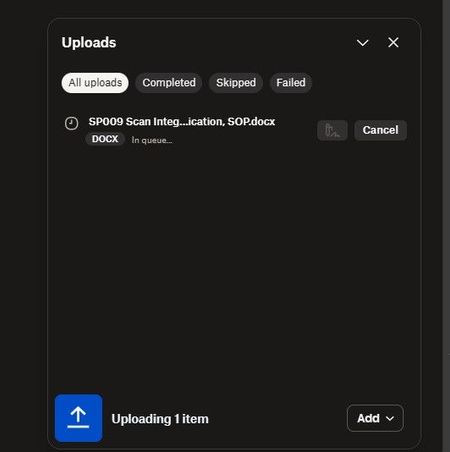
Upload from external drive to web account stuck in queue
I'm trying to upload a large amount of files directly from an external drive thru a web browser. I have tried both Edge and Chrome and both are acting the same.
It just sits there stating the ...

Nancy Dropbox Community Moderator
2 years agoDropbox Community ModeratorThanks for the clarification, ar1zona1! At the moment, the Dropbox website has an upload limit of 50GB.
If you wish to back up your external drive, without affecting your local hard drive space, may I suggest our external drive backup feature instead? Please take a look, and let me know if this is what you’d like to achieve.

ar1zona1
2 years agoHelpful | Level 5
Nancy I also tried smaller folder, less than the 50GB limit. It still would not upload.
I need the files in a team folder, it looks like the external drive backup feature puts them somewhere else. Can they be moved into a team folder once uploaded with this method?
Also, I was told dropbox backup isn't available for business accounts yet, did this change?
- Jay2 years ago
Hi ar1zona1, you're correct about the external drive backup feature, it is on a separate, private section of the site, and can't be added to team folders.
Dropbox Backup is available on Dropbox Business teams, although, as mentioned above, each backup is private to each user and files can't be shared from backups.

About Create, Upload, and Share
Find help to solve issues with creating, uploading, and sharing files and folders with Dropbox.
The Dropbox Community team is active from Monday to Friday. We try to respond to you as soon as we can, usually within 2 hours.
If you need more help you can view your support options (expected response time for an email or ticket is 24 hours), or contact us on X, Facebook or Instagram.
For more info on available support options for your Dropbox plan, see this article.
If you found the answer to your question in this Community thread, please 'like' the post to say thanks and to let us know it was useful!


