Need to see if your shared folder is taking up space on your dropbox 👨💻? Find out how to check here.
Forum Discussion

Richard_Hulshof
4 years agoHelpful | Level 5
Dropbox full
My Dopbox would be full and according to Dropbox it contains 9.77Gb. Only if I count the files, I don't get more than 1.04Gb. Also don't see shared folders as a problem. What is going on?
...
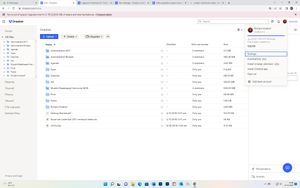
- 4 years ago
Problem solved

Hannah Dropbox Community Moderator
4 years agoDropbox Community ModeratorHey Allaron, thanks for the nudge.
Have you checked the plan tab in your account settings, to see if you have any shared folders taking up your space?
Or perhaps any backups?

Colombo
4 years agoExplorer | Level 4
Dear Dropbox team,
Have the same problem eventhough it only have 1 folder under 50MB, and don't know why I receive the inform that the dropbox account full (pls see attached image).
As instruction below, I have checked the share tap, but the file size not big (around 450mb).
and the backups found 2 stranger folders, when I click to delete, there appear below message:
"Important note: Deleting this drive will also delete any restored files ....." (pls see attached image)
Please help to check and support in this case, many thanks.
BR,
CC
- Jay4 years ago
Hi Colombo, it looks like the backups are taking up quota on your account. Deleting them means it will free up the quota for you, and the drives won't sync to your account any longer.
- Colombo4 years agoExplorer | Level 4
Hi Jay,
Ok, thanks for your reply.
So it means this is the system folder? why it size so big? is there any wrong? everything go normal before (the drive sync to my account until recently).
what can I do to solve the problem instead of delete, is there any way to reduce the folder/file size?
Thanks in advance.
BR,
CC
- Jay4 years ago
These would be backups for external drives you have connected to your account.
If you don't want to delete the backups, you can either delete files from your external drive (which would sync those deletions to the site), or you can manage the backup and change which folders you want to sync to the site.

About Storage Space
Looking for help with managing the storage space in your Dropbox account? Talk to the Dropbox Community and get advice from members.
The Dropbox Community team is active from Monday to Friday. We try to respond to you as soon as we can, usually within 2 hours.
If you need more help you can view your support options (expected response time for an email or ticket is 24 hours), or contact us on X, Facebook or Instagram.
For more info on available support options for your Dropbox plan, see this article.
If you found the answer to your question in this Community thread, please 'like' the post to say thanks and to let us know it was useful!


