Your workflow is unique 👨💻 - tell us how you use Dropbox here.
Forum Discussion

Mark Kroll
2 months agoExplorer | Level 3
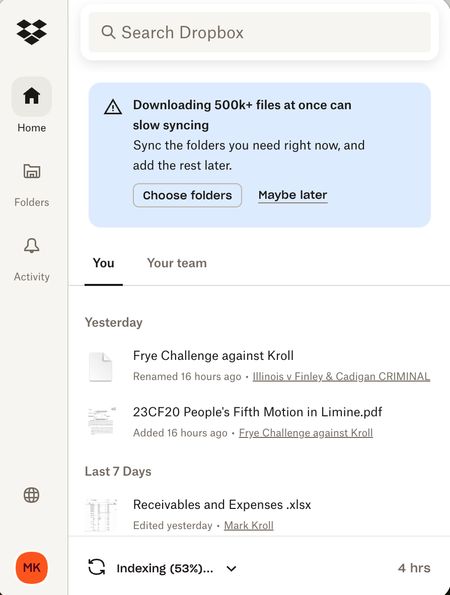
My Dropbox app keeps indexing files and I'm running out of hard drive space
I was running out of room on my MacBook Air (2 TB, Sonoma 14.7.8) and was told to make all Dropbox folders Online only to free up storage. It started indexing and freed up almost 1 TB so I was happy ...

Mark Kroll
2 months agoExplorer | Level 3
Hannah
I am the only person editing these files. I put essentially every laptop folder on online-only that that still did not solve my problem. Still syncing after 7 weeks. Thanks!

Hannah Dropbox Community Moderator
2 months agoDropbox Community ModeratorHi Mark!
Conflicted copies can also happen if files are edited from the same account but from different computers at the same time; could that be the case?
Also, to answer the question about selective sync, the feature is actually device specific, so any changes you make on one connected computer, won't affect the other.
As for the continuous indexing, have you tried to quit the Dropbox app and then re-launch it, to see if it helps?
Restarting the device might also help in this case.
About Storage Space
Looking for help with managing the storage space in your Dropbox account? Talk to the Dropbox Community and get advice from members.
The Dropbox Community team is active from Monday to Friday. We try to respond to you as soon as we can, usually within 2 hours.
If you need more help you can view your support options (expected response time for an email or ticket is 24 hours), or contact us on X, Facebook or Instagram.
For more info on available support options for your Dropbox plan, see this article.
If you found the answer to your question in this Community thread, please 'like' the post to say thanks and to let us know it was useful!


