Your workflow is unique 👨💻 - tell us how you use Dropbox here.
sync
34 Topics
My Dropbox app keeps indexing files and I'm running out of hard drive space
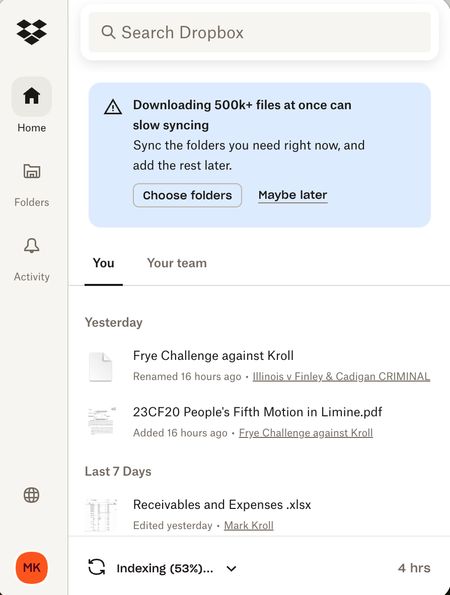
I was running out of room on my MacBook Air (2 TB, Sonoma 14.7.8) and was told to make all Dropbox folders Online only to free up storage. It started indexing and freed up almost 1 TB so I was happy for a few minutes. Then it kept indexing and a few days later I was out of memory again. This has been going on for 6 weeks! ChaptGPT calls this a "rehydration" DropbBox Death loop. Chat said to mark the whole DropBox master folder as Online Only, then stop and restart DropbBox ap. Did not solve the problem. Possible clue: My main computer (MacBook Pro (4 TB, Sonoma 14.6.1) is doing fine except the Finder now shows that there is a 20 GB "Conflicted" copy of my DropBox files. Can anyone help me?186Views0likes6Comments
Mac seems to think HD is full of Dropbox files?
I'm using a Mac and have about 100Gb of DropBox folders, many are local on my HD as well (I have DropBox Plus 2Tb plan). I went through and changed all files to online only (grey icon) and now my DropBox folder says I have maybe 1GB...but in the finder when I look at overall space on the computer it's still showing HD is almost full! I have "Online only files on Mac" set to ON. I don't understand how DropBox deletes files because I had so much data locally stored and when I changed to online only I never saw anything show up in the Trash on my Mac...so I don't know how the files are deleted from my computer? How can I fix this so my computer doesn't think the HD is almost full? Thanks, Alan.Solved14KViews2likes24Comments
How can I make sure that my Dropbox files aren't using my hard drive space?
Question or Issue I've been a DropBox user for a long time, but I suspect I am using it incorrectly. When I load a file to DropBox, I think it is simultaneously storing the same file on my hard drive. Now the space on my hard drive is mostly used up. How can I tell if the same files are being stored simultaneously on my hard drive and on DropBox and how to fix this problem so files I store on DropBox are only stored on DropBox and not my hard drive?89Views0likes1Comment
How can I make my files in my Dropbox folder online-only?
Two questions: I have Dropbox on two computers, my laptop, a Surface and a Desktop which is an Acer. On the laptop the balance between what is stored on my hardrive and what is stored in the cloud is working. But Dropbox is taking up too much space on the ACER and I want to change the designation of all the Dropbox files on the Acer so they are available only in the cloud and are not stored on my hardrive. How can I do that? And question number two is there a way to do for all Dropbox files and not have to do them one at a time. Thank you.692Views0likes11Comments
I only have 750GB synced on my 1TB external drive, but it keeps getting full.
I bought a Mac Mini earlier this year and as most Mac Mini owners, the internal drive is too small. So I added a 1TB SSD to a Acasis case (the mini Mac Pro lookalike-case) and followed all the instructions on how to move the Dropbox folder to the external drive. Since then it's been a nightmare. My Dropbox account has about 1,5 TB in it so I don't sync everything but my music folder has to be synced since I'm a DJ. So I have maybe 750GB on the 1TB drive. But after a week Dropbox stopped working and syncing. And the SSD was full. Very weird. Restarts and re-installation of the Dropbox app didn't help. I had to remove files from the drive and then it started indexing, registering and syncing again. But I had to, again, select which folders not to have 'offline'. It worked for a week or two, then the same problem. Again. Exactly the same. Solved it the same way. Worked for a couple of weeks. It's getting a bit tired. It looks like the only way to solve this would be to get a bigger SSD, at least 2TB.310Views0likes15Comments
All of my files/folders are online-only, but they still take up space from my hard drive.
Device MacBook Operating System/Browser (if using the web) Sequoia 15.6.2 Dropbox App Version (if using the app) Unknown Dropbox Plan Unknown Question or Issue All folders and files are Online Only. The blue icon next to each confirms this. Yet it continuously fills the hard drive. Dropbox tech support completely useless....even after working with them several hours.282Views0likes10Comments
I'm trying to make folders online-only, but they reappear immediately in my desktop app.
Hi All, I am trying to free up some storage on my desktop by making a folders online. I can go into the app and select a folder as online only and the app says "Success". But, then the file is still on my Desktop and when I reopen the app it appears again in the folders that are the desktop. Anyway to trouble shoot this? Thanks! -Anna Dropbox Plan Plus Device (Dell Workstation) Operating System/Browser (if using the web) (Windows 11)373Views0likes12Comments
My hard drive is full even though I've set my folder to be online-only
Agreed to the new Mac Folders and the sync tells me my hard drive is full and I have all of my folders set for Make online only. Everything shows clouds but when I check my hard drive utility it says all space is taken and normally half my drive is clear. I cleared cache but no help. This is the second time a full sync like this has happened in 2 days.Solved1.1KViews0likes16Comments
Why do my Dropbox files also take up space from my hard drive?
OK I know this probably seems like a dumb question, but bear with me... I am cleaning up storage on my PC and I see that Dropbox is taking up a huge chunk of memory on my hard drive. But I thought Dropbox was in the cloud. What gives? Is everything I put into Dropbox being saved to two places?Solved2.4KViews0likes4CommentsMy Dropbox space is full and my files stopped syncing
Files from my dropbox are only partially synched, I have stop started the app, I have reinstalled. nothing fixed it. I am using the default app setup. no space or any other mac resources related issues. please note that I have exceeded the online storage space and I am doing this to free some space but I do not think that this issue is related. My mac: M1 Pro OS: 14.6.1 Can you please advice? Thank you, Meir1.7KViews0likes4Comments