Your workflow is unique 👨💻 - tell us how you use Dropbox here.
Forum Discussion

Andreas_HH
7 years agoExplorer | Level 4
Dropbox Icons on EXPLORER files and folders missing but visible in Open and Save As Dialog Boxes
The Dropbox icons are gone when I use the Windows 10 explorer including the . I tried everything I could find in the web to fix it without success. It took me 2 days now. I noticed: In the Windows 1...
Till_P
6 years agoExplorer | Level 4
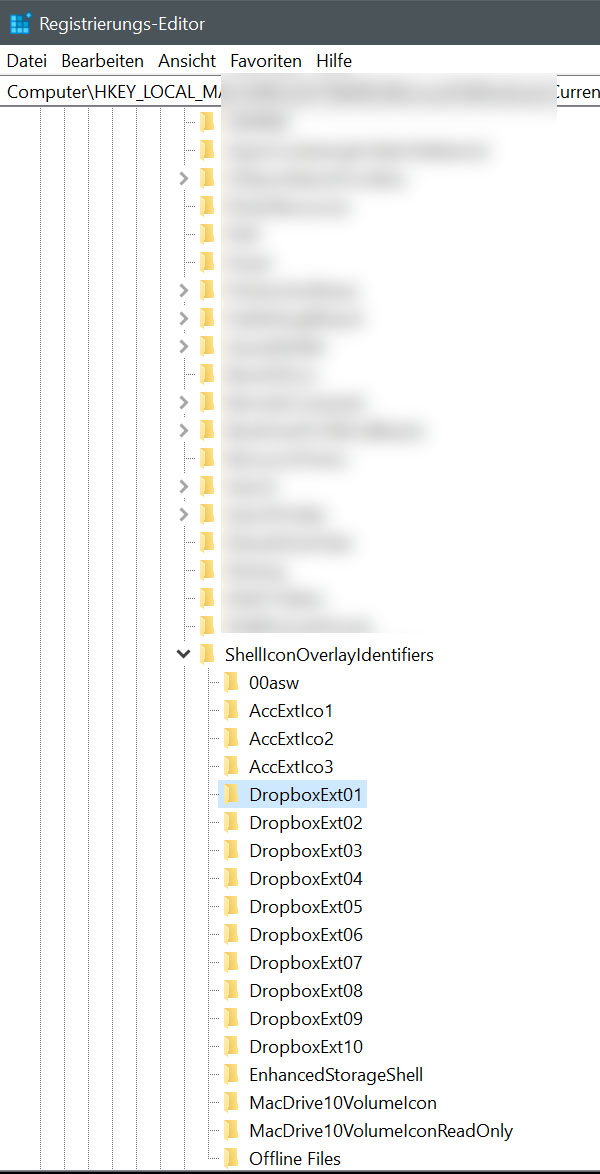
Hi Jane, if you are refering to the Windows icons overlay... i tried that! I was renaming the dropbox overlays with spaces to move them up, and now changed them back to normal. as in my screenshot. nothing changed so far :( .... maybe i am missing sth basic here? THanks for ur patience!

Jane Dropbox Staff
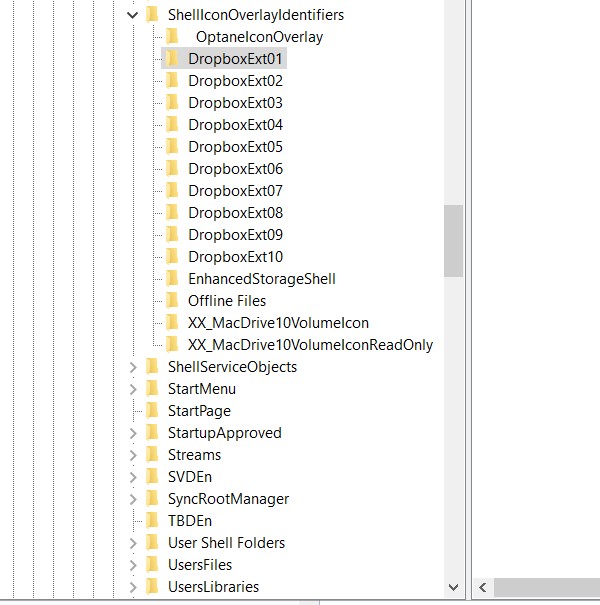
6 years agoDropbox StaffThanks for the screengrab Till_P; following-up from your last post, it looks like there are 17 entries registered. While the Dropbox overlays are placed on the first 15 positions, it’s advisable to avoid surpassing the 15-spots limit. Please note that this requires you to delete or deprioritize other applications' overlays, so only proceed if you’re sure about what you'll affect.
If you’re still unable to get to the bottom of this discrepancy after following my suggestions, please let me know here & I’ll follow a different course of action Till. Thanks again for sticking with me on that!
- Till_P6 years agoExplorer | Level 4
hi jane, thans for your reply. i just can't get the icon overlays to work. which is a bit of a hustle if i want to share links directly from my desktop. i did what u suggested an reduced the overlays to 15 entries. but it didnt change anything. is another path i could check? thanks best
till
- Till_P6 years agoExplorer | Level 4
.. ah well an there are no dropbox entries in the right-mouse click context menu on any file within the dropbox folder.
- Jane6 years agoHey Till_P, thanks for the nudge!As we’ve been working on that since August, I’ve sent you a brief message to have a closer look at the device causing you trouble cross-checking on the info I have on file. Please have a look at the inbox connected to your Community profile & we’ll go from there.I look forward to hearing back from you!
About Apps and Installations
Have a question about a Dropbox app or installation? Reach out to the Dropbox Community and get solutions, help, and advice from members.
The Dropbox Community team is active from Monday to Friday. We try to respond to you as soon as we can, usually within 2 hours.
If you need more help you can view your support options (expected response time for an email or ticket is 24 hours), or contact us on X, Facebook or Instagram.
For more info on available support options for your Dropbox plan, see this article.
If you found the answer to your question in this Community thread, please 'like' the post to say thanks and to let us know it was useful!


