Our Community is in read-only mode until April 8th, learn more here. You can still search existing threads or get help via Dropbox Support, the Dropbox Help Center, or Learn.
Forum Discussion

Domscillator
2 years agoHelpful | Level 6
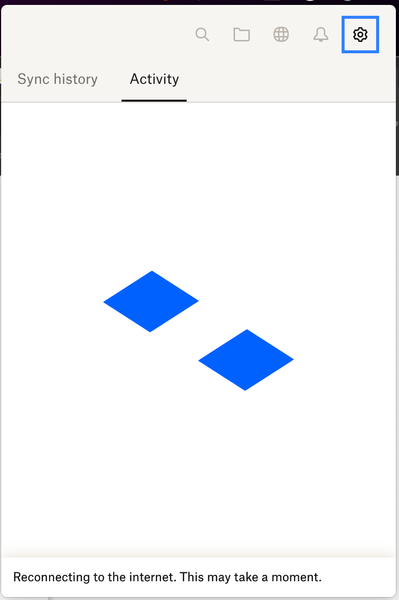
Dropbox Not working after restart: Reconnecting to the internet. This may take a moment.
I have been experiencing a very frustrating issue with Dropbox the past few days. Issue: After restarting my Mac Studio (MacOS 13.6.5), Dropbox always gets stuck with the message: Reconnecting to ...
- 1 year ago
Hi everyone,
Just a quick update: we're rolling out a fix today that should resolve this issue. It's in Stable Build 197.4.7629.
As a reminder: the current workaround is to quit/close the Dropbox application and relaunch it.
Thank you!


Hannah Dropbox Community Moderator
1 year agoDropbox Community ModeratorThanks for the update, FBarros.
Can you let us know, or even better, send us a screenshot of the exact error you're getting?
Also, which version of the app are you using?
You can see that by hovering over the Dropbox icon in your system tray.

FBarros
1 year agoExplorer | Level 4
Good morning
The app only says trying to reconnect, please view attachment.
Version also in attachment.
- Hannah1 year ago
Thanks for the screenshots, FBarros, they've really clarified the issue.
This is actually an issue that our developers are aware of and are working on a solution.
I moved you to the relevant thread, so you'll get an update, when the team has one.
 UnhappyUser11 year agoHelpful | Level 5
Thank you @Hannah. If Dropbox is "aware" of the issue, it would be helpful if they posted something about it, so your CUSTOMERS aren't left scratching their heads and/or trying to troubleshoot.
- Sam DBX1 year ago
Community Manager
Hi everyone,
Thanks for hanging in there; we know how frustrating this issue can be.
To clarify, we've spotted this connectivity error (the Dropbox desktop app getting stuck during startup) in an older version.
Our team is currently working on a fix and we should have an update for you soon.
In the meantime, if you haven't already, please quit/close the Dropbox application and relaunch it.
Thank you!
About Apps and Installations
Have a question about a Dropbox app or installation? Reach out to the Dropbox Community and get solutions, help, and advice from members.
The Dropbox Community team is active from Monday to Friday. We try to respond to you as soon as we can, usually within 2 hours.
If you need more help you can view your support options (expected response time for an email or ticket is 24 hours), or contact us on X, Facebook or Instagram.
For more info on available support options for your Dropbox plan, see this article.
If you found the answer to your question in this Community thread, please 'like' the post to say thanks and to let us know it was useful!


